
YouTubeTranscriptOptimizer
AI tool that turns YouTube videos into text documents and quizzes — paste a URL, get a formatted transcript, summary, or interactive quiz in minutes.
| What is it | AI tool that turns YouTube videos into text documents and quizzes — paste a URL, get a formatted transcript, summary, or interactive quiz in minutes. |
|---|---|
| Pricing | Paid |
| Free tier | Yes |
| Platform | Web Application |
| Best for | creating study materials from lecture videos, repurposing YouTube content into blog posts or guides |
| Domain registered | 2024 |
Data updated Sept. 19, 2026
What does YouTubeTranscriptOptimizer do?
YouTubeTranscriptOptimizer does exactly what its name suggests: it takes a YouTube video URL and turns the audio into something you can actually read and reuse. You get clean transcripts, formatted documents, summaries, and even multiple-choice or short-answer quizzes — all generated automatically. The tool claims 98% transcription accuracy, which is noticeably better than YouTube's own captions, and it handles videos of any length.
To use it, you just paste a YouTube link. Behind the scenes, AI transcribes the audio, then gives you options to polish the raw text into a nicely formatted markdown document, generate a quiz based on the content, or produce a summary. Everything can be edited with the built-in editor, and any changes auto-update the PDF. Once you're happy, you can host the result with a shareable link — one click, no fuss. There's a free tier with 50 credits to try it out, and no credit card is required upfront.
This is a practical tool for content creators who want to repurpose their videos into blog posts or study guides, educators who need to turn lecture videos into handouts and quizzes, and businesses that want to pull key information from internal training videos. It's not flashy, but it gets a common job done without requiring you to stitch together multiple services.
Key features
What makes it stand outWho is YouTubeTranscriptOptimizer for?
Who benefits most from this toolPricing
Free tier available — start without a credit card100 Credits
- 100 credits
- Transcribe up to 50 minutes of video
- Approx. 10 videos (5 minutes each)
- Or 3 videos (15 minutes each)
300 Credits
- 300 credits
- Transcribe up to 150 minutes of video
- Approx. 30 videos (5 minutes each)
- Or 10 videos (15 minutes each)
- Save 16.7%
700 Credits
- 700 credits
- Transcribe up to 350 minutes of video
- Approx. 70 videos (5 minutes each)
- Or 23 videos (15 minutes each)
- Save 28.6%
Trust & presence
Gallery
Click any image to enlargeAlternatives in Content Repurposing
 CreatorMagicAI
Verified
Content Repurposing
CreatorMagicAI
Verified
Content Repurposing
Turn YouTube videos into text summaries and analyze audience sentiment from comments in seconds.
 YouBlogify
Verified
Content Repurposing
YouBlogify
Verified
Content Repurposing
Convert YouTube videos into blog posts using AI — paste a URL, get a complete article in seconds
 curioAI
Verified
Content Repurposing
curioAI
Verified
Content Repurposing
AI research assistant that explains complex topics and generates social media posts (Twitter/LinkedIn) from your queries.
 BigMarker Content Studio
Verified
Content Repurposing
BigMarker Content Studio
Verified
Content Repurposing
AI content creation platform for marketing teams — generate blog posts, emails, and social copy from one dashboard
 Social Tooling
Verified
Content Repurposing
Social Tooling
Verified
Content Repurposing
Transcribe and analyze multiple TikTok videos in batches to generate content ideas and captions.
 Giststack
Verified
Content Repurposing
Giststack
Verified
Content Repurposing
AI tool that curates content from your favorite sources and turns it into unique social media posts in your brand's voice.
 Podnotes
Verified
Content Repurposing
Podnotes
Verified
Content Repurposing
AI tool that transcribes podcasts and YouTube videos, then generates summaries, blog posts, and social media content from them.
 Voxscribe
Verified
Content Repurposing
Voxscribe
Verified
Content Repurposing
AI-powered note-taking tool — transcribe audio/video, generate summaries, and create social content instantly.
Similar tools
 youtube-to-transcript.ai
Verified
AI Summarizer
youtube-to-transcript.ai
Verified
AI Summarizer
Paste a YouTube link, get a clean timestamped transcript and AI summary in seconds — export to TXT, SRT, VTT, DOCX.
 Video Transcription AI
Verified
Video Summarizer
Video Transcription AI
Verified
Video Summarizer
Upload a video or paste a link to get an AI-generated transcript with timestamps and speaker labels — no sign-up required.
 YouTube Transcript Generator
Verified
Subtitle Generator
YouTube Transcript Generator
Verified
Subtitle Generator
Extract, summarize, and chat with transcripts from any YouTube video in seconds.
 YouTube Summarizer
Verified
AI YouTube & Web Summarizer + Instant Translator | TL...
YouTube Summarizer
Verified
AI YouTube & Web Summarizer + Instant Translator | TL...
AI tool that summarizes YouTube videos — paste a link, get key points, notes, mind maps, and flashcards in seconds
 Transcript Video
Verified
YouTube Summaries
Transcript Video
Verified
YouTube Summaries
Turn YouTube, video, or audio into searchable transcripts with timestamps, summaries, and study tools.
 YouTube Transcript AI
Verified
Non-AI Media
YouTube Transcript AI
Verified
Non-AI Media
Free tool to extract and translate YouTube video transcripts — no sign-up required
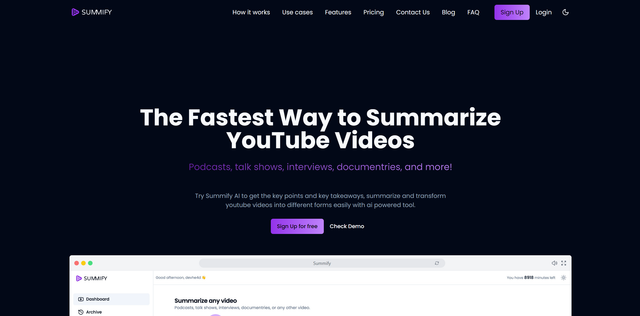 Summify
Verified
AI Summarizer
Summify
Verified
AI Summarizer
AI tool that transcribes videos/audio and generates summaries, key insights, and formatted content in seconds.
 AI Summarizer
Verified
AI Summarizer
AI Summarizer
Verified
AI Summarizer
Summarize videos, PDFs, text, and web pages in seconds with AI — paste a link or upload a file.