Microsoft OneNote Online
Free note-taking web app — create, sync, and share notes from any browser
| What is it | Free note-taking web app — create, sync, and share notes from any browser |
|---|---|
| Pricing | Unknown |
| Platform | Web Application |
| Best for | taking notes in meetings or lectures, organizing personal projects and ideas |
| Domain registered | 2015 |
Data updated Sept. 19, 2026
What does Microsoft OneNote Online do?
Microsoft OneNote Online is a free note-taking application you run in your browser. It lets you create digital notebooks where you can type, draw, or paste content — text, images, tables, and links all live on the same page. Because it syncs with your Microsoft account, your notes are available on any device: your phone, tablet, or another computer. Think of it as a digital binder that you can access anywhere, without installing software.
The tool is built around notebooks, sections, and pages — an organizational system that mimics physical binders and tab dividers. You can move pages around, tag items for quick retrieval, and use the search bar to find any text or even handwriting. Sharing a notebook is straightforward: invite people via email link, and they can view or edit in real time. Microsoft OneNote Online also supports basic formatting tools (bold, headings, bullet lists) and can pull in files, printouts, or web clippings.
People who benefit most include students who take class notes and need them across devices, professionals who keep meeting notes organized by project, and anyone who prefers a flexible, free note-taking tool over premium alternatives. It works well for personal journaling, research collections, or shared family lists. If all you need is a simple, reliable place to capture information and access it later, Microsoft OneNote Online gets the job done without bells and whistles.
Key features
What makes it stand outWho is Microsoft OneNote Online for?
Who benefits most from this toolTrust & presence
Alternatives in Note Taking
 Supernotes
Verified
Note Taking
Supernotes
Verified
Note Taking
AI-powered notes app that improves your writing, suggests tags, and highlights grammar errors
Similar tools
 Elasticnote
Verified
Knowledge Management
Elasticnote
Verified
Knowledge Management
Privacy-first note-taking app with local storage, GitHub sync, Kanban boards, and built-in AI writing assistance.
 Znote AI
Verified
Knowledge Management
Znote AI
Verified
Knowledge Management
Local-first Markdown editor with built-in AI chat and JavaScript execution — your private second brain for developers.
 SpeedNote AI
Verified
students
SpeedNote AI
Verified
students
AI-powered note-taking assistant — instantly formats and organizes your raw notes for better study and review.
 EasyNoteAI
Verified
Knowledge Management
EasyNoteAI
Verified
Knowledge Management
AI-powered note-taking app that transcribes audio, video, and PDFs into organized notes, summaries, and study aids.
 XNote
Verified
Productivity Tools
XNote
Verified
Productivity Tools
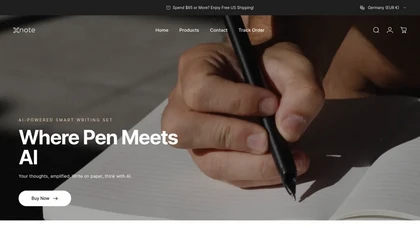
Smart pen and notebook that digitizes handwriting, records audio, and uses AI to organize notes
 moyoNote
Verified
Knowledge Management
moyoNote
Verified
Knowledge Management
AI mind mapping tool — upload documents or text, get an organized mind map with interactive Q&A in seconds.
 SlideNotes
Verified
education
SlideNotes
Verified
education
Convert PowerPoint and PDF presentations into concise, readable notes automatically — perfect for students and professionals.
 MixMemo
Verified
Whiteboard AI
MixMemo
Verified
Whiteboard AI
An infinite sticky note board in your browser — organize ideas, add images, and use AI for summaries and translations.