Toonly AI
Upload a photo, pick a style or flex theme, and get an AI-transformed image in seconds — from Pixar avatars to billionaire fantasy scenes.
| What is it | Upload a photo, pick a style or flex theme, and get an AI-transformed image in seconds — from Pixar avatars to billionaire fantasy scenes. |
|---|---|
| Pricing | Paid |
| Platform | Web Application |
| Best for | creating fun profile pictures and avatars, making personalized gifts with family portraits |
| Domain registered | 2025 |
Data updated Sept. 19, 2026
What does Toonly AI do?
Toonly AI is a straightforward AI image editing tool that lets you upload a photo and transform it into a different style or scene. You can turn a selfie into an anime character, a Pixar-style portrait, or a watercolor painting — over 100 artistic styles to choose from. The tool also has two more niche features: a "Flex Simulator" that swaps your face onto images of supercars, private jets, and bodybuilders, and a "Family Mode" that merges separate photos of different people into a single group portrait (realistic or cartoon). Each transformation costs a certain number of credits, and you buy credit packs starting at $5.
The process is simple: you upload an image, pick a theme or describe a custom scenario, and the AI does the rest. The Flex Simulator offers pre-built themes like "Supercar Flex" or "Cash King" — you just supply a face photo and the AI blends you into the scene. For the transformation feature, you choose from styles like Anime, Pencil Sketch, or Pixel Art. The tool claims renders complete in under 60 seconds, and outputs are HD resolution. There's no subscription; you buy credits as needed.
This is a fun, casual tool best suited for social media users who want quick, shareable images — profile picture makeovers, funny gift images, or fake flex photos to prank friends. It's not a professional-grade editor; it's more of a novelty generator. If you enjoy playful AI image effects and don't mind paying per render, Toonly AI is a simple way to get them without learning complex software.
Key features
What makes it stand outWho is Toonly AI for?
Who benefits most from this toolTrust & presence
Alternatives in Photo Editor
 ImagetoImage AI
Verified
Photo Editor
ImagetoImage AI
Verified
Photo Editor
Upload an image, add a text prompt, and get a stylized or enhanced version in seconds.
 PixArmory
Verified
Photo Editor
PixArmory
Verified
Photo Editor
AI photo editor — upload an image, describe your edit in plain English, and get a transformed picture in seconds.
 BeautiAI
Verified
Photo Editor
BeautiAI
Verified
Photo Editor
AI photo editor — upload a portrait, choose from 15+ artistic styles, and get a transformed image in seconds.
 DeepAny.AI
Verified
Photo Editor
DeepAny.AI
Verified
Photo Editor
Online platform for AI media editing — swap faces, generate art, upscale images/videos, and remove objects.
 Image to Image AI
Verified
Photo Editor
Image to Image AI
Verified
Photo Editor
AI image editor — upload a photo, choose a transformation (style transfer, restoration, upscaling, etc.), get results in seconds.
 Cartoon Yourself
Verified
Photo Editor
Cartoon Yourself
Verified
Photo Editor
Turn photos into cartoons, sketches, and artwork with one click — free online tool with AI-powered effects.
 Xmasinator
Verified
Photo Editor
Xmasinator
Verified
Photo Editor
AI-powered holiday photo tool — add festive effects, Santa hats, and Christmas themes to your pictures.
 Expression Editor
Verified
Photo Editor
Expression Editor
Verified
Photo Editor
AI-powered facial expression editor — adjust eyes, mouth, and head poses in photos with simple sliders
Similar tools
 Pixvify AI
Verified
Avatar Generator
Pixvify AI
Verified
Avatar Generator
Free AI tool that generates realistic human photos from text prompts and offers face-swapping in seconds.
 AI Image to Image Generator
Verified
Image Generator
AI Image to Image Generator
Verified
Image Generator
Upload a photo, type what to change, get a transformed image in seconds — no editing skills needed.
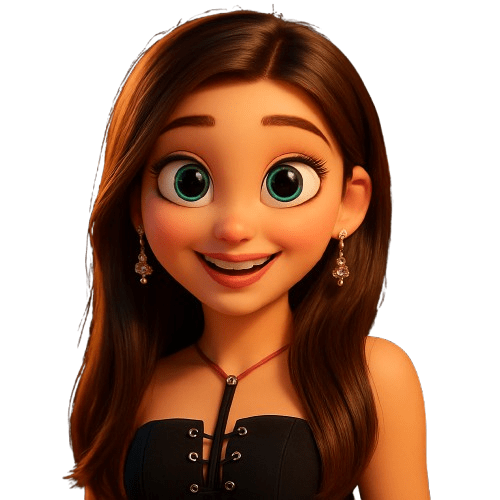 Photo to Cartoon.co
Verified
Avatar Generator
Photo to Cartoon.co
Verified
Avatar Generator
AI tool that turns your photos into cartoons in seconds — choose from 20+ styles like Disney, Anime, and Simpsons.
 AI Face Studio
Verified
Face Swap Generator
AI Face Studio
Verified
Face Swap Generator
AI-powered face editing tool — swap faces, change expressions, convert photos to anime, 3D, and other styles instantly.
 imini AI
Verified
Image Generator
imini AI
Verified
Image Generator
AI image and video generator — upload a photo, pick a style or function, and get enhanced or transformed visuals in seconds