
Line Drawing Converter
Upload a photo, pick a line style, get a clean black-and-white line drawing in seconds — no filters.
| What is it | Upload a photo, pick a line style, get a clean black-and-white line drawing in seconds — no filters. |
|---|---|
| Pricing | Freemium — from $9.99/mo |
| Free tier | Yes |
| Platform | Web Application |
| Best for | creating printable outlines for crafts and tracing, generating clean line art for design references |
| Domain registered | 2026 |
Data updated Sept. 19, 2026
What does Line Drawing Converter do?
Line Drawing Converter is a straightforward online tool that turns any photo into a clean black-and-white line drawing. Upload a JPG, JPEG, PNG, or WebP image (up to 10MB), choose a style from five presets — Clean, Simple, Detailed, Bold, or Thin — and get a usable outline in seconds. The result is a simplified line version of your original image, ready for printing, tracing, or craft projects.
The tool works by analyzing your photo and generating a line drawing that preserves the key edges and shapes. What sets it apart is the ability to compare all five styles side by side before you commit. You can also fine-tune the output with optional controls for detail level, line thickness, cleanup, and aspect ratio. The interface is minimal: no sign-up required to start, and the extra controls stay hidden until you need them. The paid plans (Starter, Creator, Studio) remove watermarks and add credits for bulk work, but you can try the generator for free with a watermark.
This is best for anyone who needs clean line art from photos without the noise of a generic sketch filter. Designers can use it for quick references, crafters for stencils and coloring pages, and artists for tracing bases. The tool is also handy for converting portraits, pets, and architecture into readable outlines. It's a narrow, focused tool that does one thing well.
Key features
What makes it stand outWho is Line Drawing Converter for?
Who benefits most from this toolPricing
Free tier available — start without a credit cardStarter
- 60 credits per month
- 60 line drawings included
- ≈ $0.17 / per image
- Standard quality
- No watermark
- Commercial use
- Up to 4 concurrent generations
- 60-day minimum history
Creator
- 250 credits per month
- 250 line drawings included
- ≈ $0.12 / per image
- Standard + HD quality
- No watermark
- Commercial use
- Up to 4 concurrent generations
- 60-day history
Studio
- 900 credits per month
- 900 line drawings included
- ≈ $0.10 / per image
- Standard + HD + Ultra HD quality
- No watermark
- Commercial use
- Up to 4 concurrent generations
- 100-day history
Trust & presence
Gallery
Click any image to enlargeAlternatives in Design Tool
 StitchCraft
Verified
Design Tool
StitchCraft
Verified
Design Tool
Turn any photo into a stitchable DMC floss chart in seconds.
 QRmaker
Verified
Design Tool
QRmaker
Verified
Design Tool
Generate dynamic QR codes that you can edit after printing, with options for AI art and animated designs.
 Biorender
Verified
Design Tool
Biorender
Verified
Design Tool
Create professional science figures, graphs, and slides for publications – no design skills needed.
Similar tools
 AI Line Art
Verified
Tattoo Generator
AI Line Art
Verified
Tattoo Generator
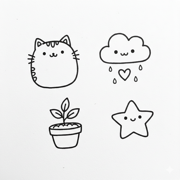
AI-powered line art generator — upload any photo and get clean, printable line drawings in seconds
 Line Art Generator
Verified
Image Generator
Line Art Generator
Verified
Image Generator
AI tool that converts photos into line art sketches or generates line art from text descriptions.
 Picture to Drawing
Verified
Style Transfer
Picture to Drawing
Verified
Style Transfer
AI photo converter — upload any photo, choose an art style, get a hand-drawn sketch or painting in seconds
 Free Outline Image Generator
Verified
Background Remover
Free Outline Image Generator
Verified
Background Remover
Free online tool to automatically remove backgrounds and add customizable outlines to any image in seconds.
 Formind
Verified
Style Transfer
Formind
Verified
Style Transfer
AI photo to line drawing converter — upload a photo, pick a style, get clean line art or sketch in seconds
 LineArt
Verified
Coloring Book Generator
LineArt
Verified
Coloring Book Generator
Upload a photo, get a printable coloring book with the same subject across fun scenes — realistic or cartoon style.
 ColorMe.ai:Free AI Coloring Page Generator
Verified
Coloring Book Generator
ColorMe.ai:Free AI Coloring Page Generator
Verified
Coloring Book Generator
Turn photos or text prompts into printable coloring pages using AI — generates clean line art in minutes.
 Image to Image AI
Verified
Photo Editor
Image to Image AI
Verified
Photo Editor
AI image editor — upload a photo, choose a transformation (style transfer, restoration, upscaling, etc.), get results in seconds.