
SpeakON
A physical button for iPhone that turns speech into clean text in any app — no typing, no switching.
| What is it | A physical button for iPhone that turns speech into clean text in any app — no typing, no switching. |
|---|---|
| Pricing | Freemium |
| Free tier | Yes |
| Platform | Web Application |
| Best for | dictating emails and messages on the go, capturing ideas quickly without typing |
Data updated Sept. 19, 2026
What does SpeakON do?
SpeakON is a physical button that snaps onto your iPhone (MagSafe) and turns your voice into clean, ready-to-use text in real time. Instead of typing out emails, notes, AI prompts, or messages, you just press the button and speak. The text appears directly in whatever app you're already using — no switching apps, no copy-pasting, no extra steps. It's a simple idea: remove the friction between thinking and getting words down.
The device works with a one-button press: press, speak, and done. SpeakON handles punctuation, formatting, and even adjusts tone from formal to casual. It's designed for privacy — it's SOC 2 Type II and HIPAA certified, and it can work offline, syncing your text later when you're back online. The hardware itself is a small, circular button that attaches magnetically to the back of an iPhone, so it's always within reach.
SpeakON is built for people who move fast — executives, entrepreneurs, busy professionals who don't have time to sit and type. It's useful in between meetings, while walking, during back-to-back calls, or anytime you need to get words down without stopping what you're doing. If you've ever wished you could just talk and have your phone type it out for you, SpeakON makes that happen with a single button.
Key features
What makes it stand outWho is SpeakON for?
Who benefits most from this toolPricing
Free tier available — start without a credit cardFree
- 2,000 words/week word limit
- 2,000 words/week
- Notes
- Unlimited Voice Edits
- Style
- Auto-format (Smart Polish, Smart List)
- Translation
- Dictionary
Pro Lifetime
- Unlimited words
- Notes
- Unlimited Voice Edits
- Style
- Auto-format (Smart Polish, Smart List)
- Translation
- Dictionary
- Agent Actions - (Coming soon) Priority beta access
Gallery
Click any image to enlargeAlternatives in Writing Assistants
 TypeAI
Verified
Writing Assistants
TypeAI
Verified
Writing Assistants
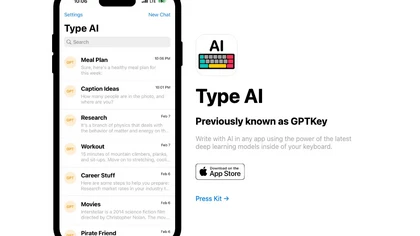
AI keyboard for iOS — write with AI in any app using the latest deep learning models.
 Typeless
Verified
Writing Assistants
Typeless
Verified
Writing Assistants
AI voice dictation tool that turns natural speech into polished text — removes filler words, auto-formats, and adapts tone across applications.
 VoiceAppear
Verified
Writing Assistants
VoiceAppear
Verified
Writing Assistants
Speech-to-text software for Windows and Mac — dictate emails and documents three times faster than typing.
 WriteVoice
Verified
Writing Assistants
WriteVoice
Verified
Writing Assistants
AI keyboard that turns your spoken thoughts into perfectly formatted text for emails, messages, and notes.
 Word Up
Verified
Writing Assistants
Word Up
Verified
Writing Assistants
AI keyboard app — translate text, fix grammar, change tone, and generate content directly in any mobile app.
 Voicetype AI
Writing Assistants
Voicetype AI
Writing Assistants
AI dictation tool that writes 9x faster than typing, adapting its tone to match the app you're using.
 PromptSpeak.AI
Verified
Writing Assistants
PromptSpeak.AI
Verified
Writing Assistants
AI-powered iOS/Mac app with specialized chatrooms for social media captions, email writing, and note-taking.
 Deckwise
Verified
Writing Assistants
Deckwise
Verified
Writing Assistants
AI presentation maker — turn notes, PDFs, and ideas into editable slides in minutes
Similar tools
 TalkToText
Verified
Productivity Tools
TalkToText
Verified
Productivity Tools
Voice-to-text tool that types for you in any app — speak to write emails, documents, and messages 10x faster.
 Spokenly
Verified
Transcription
Spokenly
Verified
Transcription
AI dictation app for Mac, iPhone, and Windows — speak to type in any app, works offline with local models.
 dictate.
Verified
Productivity Tools
dictate.
Verified
Productivity Tools
Speech-to-text keyboard for iPhone and dictation tool for Mac — turns your voice into clean, formatted text in any app.
 Speakmac
Verified
Transcription
Speakmac
Verified
Transcription
Offline speech-to-text for Mac — dictate anywhere on your computer with fast, private AI voice typing.
 VoiceInk
Verified
Productivity Tools
VoiceInk
Verified
Productivity Tools
A privacy-focused, local AI dictation app for Mac and iOS that transcribes your speech into text instantly across any application.
 Megaphone
Verified
Productivity Tools
Megaphone
Verified
Productivity Tools
Free, private, on-device dictation for Mac — transcribes speech and cleans up filler words locally.