
Scribia
AI video summarizer and text-based video editor — upload lectures, paste YouTube links, get transcripts, flashcards, and quizzes.
| What is it | AI video summarizer and text-based video editor — upload lectures, paste YouTube links, get transcripts, flashcards, and quizzes. |
|---|---|
| Pricing | Freemium — from $20/mo |
| Free tier | Yes |
| Platform | Web Application |
| API | Yes |
| Best for | summarizing lecture videos for exam prep, creating flashcards from YouTube tutorials |
| Domain registered | 2026 |
Data updated Sept. 19, 2026
What does Scribia do?
Scribia is an AI-powered video summarizer and text-based video editor designed for students and lifelong learners. You can upload lecture recordings, paste YouTube links, or record audio directly — Scribia transcribes the content in over 50 languages, generates structured summaries with timestamps, and creates active recall flashcards and multiple-choice quizzes from the transcript. It also lets you edit videos by editing the text transcript: trim, split, or apply effects using simple natural language commands. A built-in AI study assistant lets you chat with your video library, ask questions, and pull specific moments from the timeline.
What makes Scribia stand out is how it combines video editing with study tools in one workspace. The text-based editing approach is straightforward — instead of cutting clips on a timeline, you modify the transcript and the video updates accordingly. The Redaction Shield feature can blur sensitive information in frames automatically. For studying, the AI generates flashcards and quizzes that you can export as polished PDFs. The interface shows a live preview of the video alongside the transcript, highlights, and chat panel, making it easy to navigate long recordings.
Scribia is best for students who need to digest hours of lecture material efficiently, professionals studying for certifications, or anyone who wants to turn YouTube tutorials into structured study notes. It replaces the need for separate tools like Quizlet, Otter.ai, and basic video editors by combining transcription, summarization, flashcard generation, and text-based editing in one platform. The free tier lets you get started without a credit card, and the API is available for developers who want to integrate these features into their own apps.
Key features
What makes it stand outWho is Scribia for?
Who benefits most from this toolPricing
Free tier available — start without a credit cardStarter
- 30 per month credits
- 2 decks/sets quizzes
- 10 req/min API rate
- 1 credit per action AI actions
- Standard render speed
- 2 credits per render (with watermark) video editor
- 2 per month video renders
- SD (480p) & HD (720p) export quality
- 30 Credits per month (limited time)
- 2 video renders per month
- 1 Credit per AI action (summary, chat, quiz)
- AI Video Editor (2 Credits/render, with watermark)
- Interactive study quizzes
- API Access (Essential rate limits)
- SD (480p) & HD (720p) exports
- Standard render speed
- 2 decks/sets quizzes
- Standard support
Premium
- 150 per week credits
- 100 decks/sets quizzes
- 100 req/min API rate
- 1 credit per action AI actions
- Fast render speed
- 10 credits per render (no watermark) video editor
- 10 per week video renders
- 1080p Full HD export quality
- 150 Credits per week
- 10 video renders per week
- 1 Credit per AI action
- Pro AI Video Editor (10 Credits/render, no watermark)
- Full 1080p exports & fast render speed
- Bulk transcription & playlist summaries
- Pro API Access (Full speed developer keys)
Enterprise
- Custom credits
- Unlimited quizzes
- Dedicated endpoints API rate
- Volume Pricing AI actions
- Fast render speed
- Volume Pricing video editor
- Unlimited video renders
- 1080p Full HD export quality
- Custom Credit allocation
- Unlimited Pro AI Video Editing
- Bulk processing & custom limits
- Priority support & custom integrations
- Unlimited API Access (Dedicated endpoints)
Trust & presence
Gallery
Click any image to enlargeAlternatives in YouTube Summaries
 Swiftnotes.ai
Verified
YouTube Summaries
Swiftnotes.ai
Verified
YouTube Summaries
AI tool that watches YouTube videos for you and generates detailed notes and summaries.
 Transcript Video
Verified
YouTube Summaries
Transcript Video
Verified
YouTube Summaries
Turn YouTube, video, or audio into searchable transcripts with timestamps, summaries, and study tools.
 NoteGPT
Verified
YouTube Summaries
NoteGPT
Verified
YouTube Summaries
AI learning assistant that summarizes YouTube videos, PDFs, and articles, plus AI writing and image generation tools
 AlphaNotes
Verified
YouTube Summaries
AlphaNotes
Verified
YouTube Summaries
AI-powered learning assistant that turns YouTube videos and articles into concise summaries and study notes
 Vunote
Verified
YouTube Summaries
Vunote
Verified
YouTube Summaries
AI tool that turns YouTube videos and audio into timestamped notes, transcripts, mindmaps, and study materials.
 Aster Lab
Verified
YouTube Summaries
Aster Lab
Verified
YouTube Summaries
AI study tool — turn any YouTube video or PDF into summaries, quizzes, flashcards, and reflection exercises.
 Active Recall
Verified
YouTube Summaries
Active Recall
Verified
YouTube Summaries
Traditional knowledge management is passive—information is stored but rarely revisited. Recall shifts this paradigm by transforming saved knowledge into active insights. Summarize content, chat with it, store it in a self-organizing knowledge base, and reinforce learning with spaced repetition. The foundation of Recall is its knowledge graph, which automatically links related concepts—uncovering hidden connections you might have otherwise missed.
 Kiwi Video
Verified
YouTube Summaries
Kiwi Video
Verified
YouTube Summaries
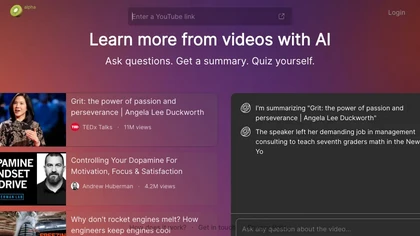
AI video learning tool — ask questions, get summaries, and quiz yourself on any YouTube video.
Similar tools
 Scrivvy
Verified
AI YouTube & Web Summarizer + Instant Translator | TL...
Scrivvy
Verified
AI YouTube & Web Summarizer + Instant Translator | TL...
Summarize YouTube videos and podcasts automatically — get key points without watching the whole thing.
 YouTube Summarizer
Verified
AI YouTube & Web Summarizer + Instant Translator | TL...
YouTube Summarizer
Verified
AI YouTube & Web Summarizer + Instant Translator | TL...
AI tool that summarizes YouTube videos — paste a link, get key points, notes, mind maps, and flashcards in seconds
 shoki.app
Verified
Video Summarizer
shoki.app
Verified
Video Summarizer
Get summaries and transcripts from YouTube videos, translated into your language.
 Skipit.ai
Verified
Video Summarizer
Skipit.ai
Verified
Video Summarizer
AI YouTube video summarizer — paste a link, get instant summaries and ask questions about any video up to 12 hours long
 Scribbler
Verified
AI Summarizer
Scribbler
Verified
AI Summarizer
AI tool that summarizes podcasts and YouTube videos, providing key insights, transcripts, and chat in seconds.
 Video Highlight | AI Video Summarizer
Verified
Video Summarizer
Video Highlight | AI Video Summarizer
Verified
Video Summarizer
Paste a YouTube, Vimeo, or Dailymotion URL — get an AI summary with timestamped key points in seconds.