
Diffusion Studio
Professional video editor with infinite canvas and timeline, made for AI agents and human creators alike.
| What is it | Professional video editor with infinite canvas and timeline, made for AI agents and human creators alike. |
|---|---|
| Pricing | Freemium |
| Free tier | Yes |
| Platform | Web Application |
| Best for | editing video content for social media, creating motion graphics and animations |
| Domain registered | 2023 |
Data updated Aug. 18, 2026
What does Diffusion Studio do?
Diffusion Studio is a video editor that rethinks the editing workflow around an infinite canvas and a multi-track timeline. It's open source, runs in your browser, on macOS, or straight from the terminal, and it's built to be driven by AI agents as easily as by human hands. You can analyze footage, design scenes, edit clips, generate new assets, and transcribe audio — all in one workspace without switching tools.
What makes Diffusion Studio stand out is how it blends design-tool thinking with video editing. You start by arranging scenes on an infinite canvas, then sequence them on a timeline. Adjust timing, position, scale, and layout from a single property inspector. Stack visual effects like Lumetri Color and motion blur, mix audio with EQ and denoiser, and control animation with bezier curves, spring easing, or motion presets. The editor responds in under 120ms, handles 4K playback and export without proxies, and keeps everything connected so you can iterate without losing context.
Diffusion Studio is ideal for video editors who want a modern, fast tool, and for developers building AI agents that need to manipulate video programmatically. Use it to automate social media content creation, generate training videos from scripts, or let an agent watch footage, make cuts, and export finished clips. It's free to use for now, with a pricing page for future plans, and the open-source codebase means you can inspect and extend it however you like.
Key features
What makes it stand outWho is Diffusion Studio for?
Who benefits most from this toolPricing
Free tier available — start without a credit cardFree
- 50 trial credits
- 50 trial credits
- Basic local caption model
- Unlimited 4K exports
- Unlimited projects
- No watermark
- Commercial use
Pro
- 2,500 AI credits per month
- Top up credits anytime
- Advanced caption model
- All AI models, including Veo 3.1
- Most capable AI agents
- Up to 100 GB file imports
- Priority support
Enterprise
Everything in Pro, plus:
- Custom credit volume
- Team workspace
- Cloud backup for projects and media
- SSO and advanced security
- Dedicated support
Trust & presence
Gallery
Click any image to enlargeAlternatives in Video Editor
 AI Video Cut
Verified
Video Editor
AI Video Cut
Verified
Video Editor
AI-powered tool that turns long videos into short, viral-ready clips for social media in seconds.
 Vidio
Verified
Video Editor
Vidio
Verified
Video Editor
AI video editor — upload a video, choose your style, and get an edited version in minutes
 Recast Studio
Verified
Video Editor
Recast Studio
Verified
Video Editor
AI-powered video editor that repurposes podcast episodes into clips, blog posts, and social content in minutes.
 Highlight Studio
Verified
Video Editor
Highlight Studio
Verified
Video Editor
Native Mac screen recorder with AI-powered editing — smart zoom, auto subtitles, device frames, and multi-track timeline.
 Augie Studio
Verified
Video Editor
Augie Studio
Verified
Video Editor
AI-assisted video creation and editing platform for enterprise clients, focusing on enhanced features and dedicated support.
 Spikes Studio
Verified
Video Editor
Spikes Studio
Verified
Video Editor
AI video editor that finds the best moments in long videos and turns them into social media clips for YouTube, TikTok, and Instagram.
 PandaStudio
Verified
Video Editor
PandaStudio
Verified
Video Editor
Desktop video editor with AI transcription, captions, and one-click YouTube publish — pay once, no subscription.
 EbSynth
Verified
Video Editor
EbSynth
Verified
Video Editor
Transform videos by painting over keyframes — turn live footage into hand-drawn animation or apply effects instantly
Similar tools
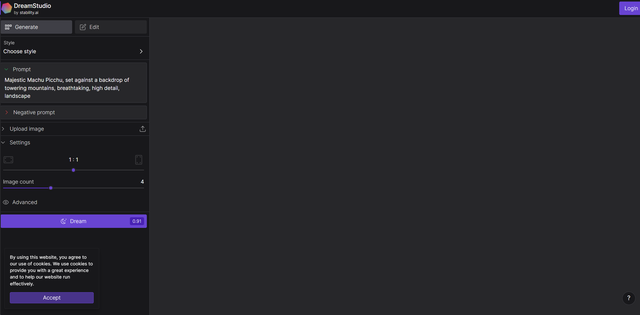 DreamStudio
Image Generator
DreamStudio
Image Generator
Stable Diffusion is a state of the art open source image generating AI. DreamStudio is the official team interface and API for Stable Diffusion.
 Thinkdiffusion
Verified
Image Generator
Thinkdiffusion
Verified
Image Generator
The easiest way to access the full functionality of Stable Diffusion A.I. art tools from any browser, including mobile. With capabilities outclassing Midjourney, DallE, and Firefly, create in your private and dedicated cloud workspace, no need for expensive hardware or tech know-how for installation and maintenance.
 Stable Video Diffusion AI
Verified
Video Generator
Stable Video Diffusion AI
Verified
Video Generator
Free AI tool that turns your static images into short, dynamic videos in seconds — no technical skills needed.
 Logo Diffusion
Verified
AI Logo Generator
Logo Diffusion
Verified
AI Logo Generator
AI logo design tool — generate, edit, and vectorize logos from text prompts or images in seconds
 Story Diffusion AI
Verified
Image Generator
Story Diffusion AI
Verified
Image Generator
AI tool that generates consistent images and videos for stories — keep characters and scenes looking the same across frames
 DiffusionBee
Verified
Image Generator
DiffusionBee
Verified
Image Generator
Run Stable Diffusion AI art tools locally on your Mac — generate images, edit photos, and train custom models offline.
 RunDiffusion
Verified
Image Generator
RunDiffusion
Verified
Image Generator
A unified platform providing one license to access top AI models like Flux 2, Veo 3, and Z-Image for image and video generation.