
Jumper
AI-powered search engine for your video footage — find shots, scenes, and spoken words instantly within your editing software.
| What is it | AI-powered search engine for your video footage — find shots, scenes, and spoken words instantly within your editing software. |
|---|---|
| Pricing | Freemium |
| Free tier | Yes |
| Platform | Desktop Application |
| Best for | Finding specific shots in large video libraries, Building sequences with visually similar content |
| Domain registered | 2024 |
Data updated Sept. 19, 2026
What does Jumper do?
Jumper is a desktop application that acts as a machine learning-powered search engine specifically designed for video editors. It indexes your entire video library and allows you to search through footage using natural language keywords, finding relevant clips based on both visual content and spoken words. The tool works entirely on your device, eliminating the need for cloud uploads and ensuring your media stays private. It's compatible with major professional editing software including Adobe Premiere Pro, Final Cut Pro, DaVinci Resolve, and Avid Media Composer.
What sets Jumper apart is its deep integration into existing editing workflows. Rather than being a separate platform, it operates through plugins that let you search and access clips without leaving your editing environment. The 'Find Similar' feature is particularly powerful, allowing editors to discover visually related moments across their entire library after selecting a reference clip. The 'Match Source monitor' function lets you search for footage that matches what's currently in your source monitor, creating a fluid creative process.
Professional video editors and filmmakers working with large media libraries will benefit most from Jumper. It's especially valuable for documentary editors who need to quickly locate specific moments across hours of footage, or for creative professionals building sequences who want to explore thematic connections in their visual material. The tool saves significant time that would otherwise be spent manually scrubbing through timelines, allowing editors to focus more on creative decisions rather than administrative searching.
Key features
What makes it stand outWho is Jumper for?
Who benefits most from this toolTrust & presence
Gallery
Click any image to enlargeAlternatives in Video Search
 Clipto
Verified
Video Search
Clipto
Verified
Video Search
A private, on-device AI tool for creators to instantly search and manage video/audio files by content, person, or dialogue.
 Imaginario AI
Verified
Video Search
Imaginario AI
Verified
Video Search
AI video search and curation platform — find specific moments, create clips, and repurpose content from your video library instantly.
 QuickSight
Verified
Video Search
QuickSight
Verified
Video Search
AI video intelligence platform — upload videos, search them with natural language, and find exact moments instantly.
 FrameTrace
Verified
Video Search
FrameTrace
Verified
Video Search
Upload a video clip or paste a URL to find its original source across platforms in seconds.
 Translator
Verified
Video Search
Translator
Verified
Video Search
Desktop app to find foreign-language videos, watch with translated subtitles, and create dubbed or clipped versions.
 Skiv
Verified
Video Search
Skiv
Verified
Video Search
AI-powered video hosting platform with searchable transcripts, smart chapters, and monetization tools for creators and businesses.
 YTSearch
Verified
Video Search
YTSearch
Verified
Video Search
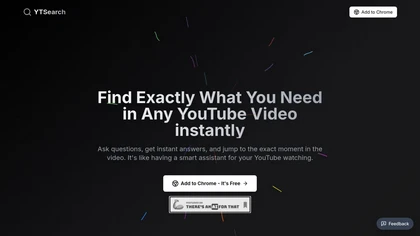
Chrome extension that lets you ask questions about a YouTube video and jump to the exact timestamp of the answer.
 EdgeTrace
Verified
Video Search
EdgeTrace
Verified
Video Search
AI video management system — search security camera footage by describing people, vehicles, or events in plain language.
Similar tools
 Powder
Verified
Video Editor
Powder
Verified
Video Editor
AI-powered desktop app that automatically finds and edits your best gaming moments into shareable clips and montages.
 Cliper
Verified
Video Editor
Cliper
Verified
Video Editor
AI tool that transforms long videos into viral short clips with dynamic captions and smart reframing.
 ClipFinder
Verified
Video Editor
ClipFinder
Verified
Video Editor
AI video clip finder — upload long videos, get viral-ready shorts with captions and auto-reframing
 Writier
Verified
Writing Assistants
Writier
Verified
Writing Assistants
AI writing assistant that suggests sentence completions and paragraphs in 12+ languages as you type.
 Prompt Mixer
Verified
Developer Tools
Prompt Mixer
Verified
Developer Tools
Open-source desktop app for creating, testing, and evaluating AI prompt chains with multiple models.
 CopyCopter
Verified
Video Generator
CopyCopter
Verified
Video Generator
AI video generator with multi-track editing — turn text prompts into polished videos with cinematic control
 Smart Media Cutter
Verified
Video Editor
Smart Media Cutter
Verified
Video Editor
Desktop video editor that cuts video using AI transcription — edit by selecting text, not scrubbing through footage.