
The Windsurf Editor
An AI-powered code editor that understands your codebase, suggests fixes, and automates tasks to keep developers in flow.
| What is it | An AI-powered code editor that understands your codebase, suggests fixes, and automates tasks to keep developers in flow. |
|---|---|
| Pricing | Freemium — from $15/mo |
| Free tier | Yes |
| Platform | Desktop Application |
| Best for | rapid prototyping and building new applications, refactoring and maintaining complex codebases |
| Domain registered | 2023 |
Data updated Sept. 19, 2026
What does The Windsurf Editor do?
The Windsurf Editor is a desktop code editor built around an AI assistant designed to handle the heavy lifting of software development. It goes beyond simple autocomplete. Its core feature, Cascade, acts as an AI agent that understands your entire project's context. You give it a goal, and it plans and executes the necessary steps—writing code, creating files, running terminal commands, and even launching preview servers—while you focus on higher-level design. It's built to keep developers in a state of flow by removing interruptions for common tasks.
What sets The Windsurf Editor apart is its deep integration and proactive features. The 'Memories' system lets the AI learn and recall important patterns and structures from your specific codebase. It has built-in support for MCP (Model Context Protocol), allowing you to connect AI workflows directly to tools like Figma, Slack, and databases with one click. The editor also includes a unique 'Tab' key workflow that turns a single keystroke into a powerful command for actions like importing dependencies or generating code blocks, making common actions effortless.
This tool is a major productivity boost for individual developers working on new projects or complex refactors, as it can generate a large percentage of boilerplate code. It's equally valuable for engineering teams that want to standardize patterns and reduce context-switching. Whether you're building a web app from a single prompt or maintaining a large enterprise codebase, The Windsurf Editor aims to make the process faster and more intuitive by letting the AI handle the predictable parts of coding.
Key features
What makes it stand outWho is The Windsurf Editor for?
Who benefits most from this toolPricing
Free tier available — start without a credit cardFree
- 25 prompt credits
- 25 prompt credits/month across leading models
- Basic model access
- Fast Context trial access
- Unlimited Tab completions
- Unlimited inline edits
- Windsurf app previews
Pro
Everything in Free, plus:
- 500 prompt credits
- 500 prompt credits/month
- All Premium Models
- SWE-1.5 Model
- Full Fast Context access
- Add-on credits at $10/250 credits
Teams
Everything in Pro, plus:
- 500 prompt credits per user
- 500 prompt credits/user/month
- Add-on credits available for purchase
- Windsurf Reviews
- Centralized billing
- Admin dashboard with analytics
- Priority support
- Automated zero data retention
- SSO available for +$10/user/month
Enterprise
Everything in Teams, plus:
- 1,000 prompt credits per user
- 1000 prompt credits/user/month
- Add-on credits available for purchase
- Role-Based Access Control (RBAC)
- SSO + Access control features
- Highest priority support
- Dedicated account management
- Hybrid deployment option
Trust & presence
Gallery
Click any image to enlargeAlternatives in Developer Tools
 Windsurf
Verified
Developer Tools
Windsurf
Verified
Developer Tools
AI coding assistant with local and cloud agents — plan, write, debug, and deploy code in one editor
 Flowblock
Verified
Developer Tools
Flowblock
Verified
Developer Tools
AI-powered code editor for Webflow with intelligent code prediction, autocompletion, and built-in CDN hosting
 Nordcraft
Verified
Developer Tools
Nordcraft
Verified
Developer Tools
AI-powered web development tool that combines a visual editor with an AI agent for building and refining web projects.
 CodeMaker AI
Verified
Developer Tools
CodeMaker AI
Verified
Developer Tools
AI coding assistant that writes, tests, and documents code directly in your IDE and GitHub workflow
 Agentica
Verified
Developer Tools
Agentica
Verified
Developer Tools
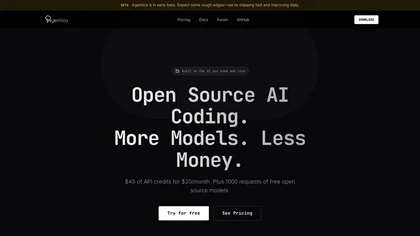
Open-source AI coding assistant for VS Code, Cursor, and Windsurf — access multiple AI models with one extension.
 Cursor
Verified
Developer Tools
Cursor
Verified
Developer Tools
AI-powered code editor that helps you write, understand, and debug code faster with intelligent assistance.
 Mintlify
Verified
Developer Tools
Mintlify
Verified
Developer Tools
Reading and writing code is hard! Figstack helps you understand code in any language, translate between languages, and automate documentation so you can focus on building what matters.
 Sweep AI
Verified
Developer Tools
Sweep AI
Verified
Developer Tools
AI coding assistant for JetBrains IDEs — get intelligent autocomplete and code suggestions directly in your editor