
Queso
Chrome extension that adds interactive quizzes, summaries, and note-taking to any webpage or YouTube video.
| What is it | Chrome extension that adds interactive quizzes, summaries, and note-taking to any webpage or YouTube video. |
|---|---|
| Pricing | Freemium |
| Free tier | Yes |
| Platform | Chrome Extension |
| Best for | actively learning from YouTube tutorials, studying from online articles and PDFs |
| Domain registered | 2024 |
Data updated Sept. 19, 2026
What does Queso do?
Queso is a Chrome extension designed to transform passive web browsing into an active learning session. It works by injecting interactive elements directly into the webpages and YouTube videos you visit. As you read an article or watch a tutorial, Queso can pause the content to ask you comprehension questions, generate concise summaries on demand, and provide tools to clip and organize information. It turns the entire internet into a dynamic, personalized textbook.
The tool operates primarily through two clever modes. 'Timed Mode' automatically presents context-based questions at regular intervals to keep you engaged and check your understanding. 'Inline Mode' embeds questions and summaries directly within the page content. Beyond quizzes, Queso includes a full suite of study aids: a right-click 'clip' function to save content, an AI-powered whiteboard for visual notes, and a mind-mapping tool. The integrated AI Copilot can answer your questions, using the content you're viewing as its reference point.
This tool is a perfect fit for students, self-directed learners, and professionals who consume a lot of educational content online. If you've ever mindlessly scrolled through a tutorial or finished an article only to realize you've retained nothing, Queso provides the structure to make that time productive. It's particularly useful for mastering complex topics from YouTube, preparing for exams using online resources, or systematically researching a new subject across multiple websites.
Key features
What makes it stand outWho is Queso for?
Who benefits most from this toolTrust & presence
Alternatives in YouTube Summaries
 AI-Powered Video Notes & Summaries
Verified
YouTube Summaries
AI-Powered Video Notes & Summaries
Verified
YouTube Summaries
AI-powered browser extension that summarizes YouTube videos, extracts key points, and creates study notes instantly
 HoverNotes
Verified
YouTube Summaries
HoverNotes
Verified
YouTube Summaries
AI-powered Chrome extension that takes notes and screenshots for you while you watch educational videos on YouTube, Udemy, and more.
 Workbookly
Verified
YouTube Summaries
Workbookly
Verified
YouTube Summaries
Turn YouTube videos into interactive workbooks with AI-generated summaries, questions, and key points for active learning.
 Saya
Verified
YouTube Summaries
Saya
Verified
YouTube Summaries
AI study assistant — upload PDFs, videos, or audio, get summaries and answers from your files.
 Vunote
Verified
YouTube Summaries
Vunote
Verified
YouTube Summaries
AI tool that turns YouTube videos and audio into timestamped notes, transcripts, mindmaps, and study materials.
 Aster Lab
Verified
YouTube Summaries
Aster Lab
Verified
YouTube Summaries
AI study tool — turn any YouTube video or PDF into summaries, quizzes, flashcards, and reflection exercises.
 Scribia
Verified
YouTube Summaries
Scribia
Verified
YouTube Summaries
AI video summarizer and text-based video editor — upload lectures, paste YouTube links, get transcripts, flashcards, and quizzes.
 Kiwi Video
Verified
YouTube Summaries
Kiwi Video
Verified
YouTube Summaries
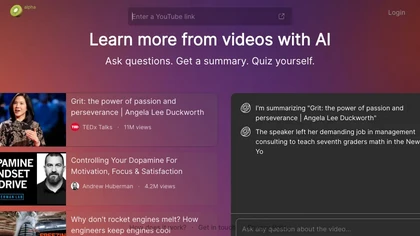
AI video learning tool — ask questions, get summaries, and quiz yourself on any YouTube video.
Similar tools
 SummarizeYT
Verified
AI Summarizer
SummarizeYT
Verified
AI Summarizer
AI Chrome extension that summarizes YouTube videos instantly while you browse
 QuizMate
Verified
Homework Helper
QuizMate
Verified
Homework Helper
AI study assistant — scan questions, get instant answers with explanations, and generate study materials
 SummifyAI
Verified
Video Summarizer
SummifyAI
Verified
Video Summarizer
Chrome extension that summarizes YouTube videos, answers questions about content, and lets you search transcripts instantly.
 StudyBotPro
Verified
Homework Helper
StudyBotPro
Verified
Homework Helper
AI Chrome extension that helps students solve multiple-choice questions and study on LMS platforms like Canvas.
 Quino
Verified
Lesson Plan Generator
Quino
Verified
Lesson Plan Generator
AI tool for educators that turns academic materials into interactive learning games and automated lesson plans.
 wuko
Verified
AI YouTube & Web Summarizer + Instant Translator | TL...
wuko
Verified
AI YouTube & Web Summarizer + Instant Translator | TL...
Get AI summaries and insights from any web link via email — just send a URL to read@wuko.ai.

AI Chrome extension that summarizes and highlights key points from YouTube videos and articles in seconds.