
PrivacyDoc
AI-powered PDF analyzer — upload documents and ask questions to get instant answers and summaries.
| What is it | AI-powered PDF analyzer — upload documents and ask questions to get instant answers and summaries. |
|---|---|
| Pricing | Unknown |
| Platform | Web Application |
| Best for | Quickly finding specific information in long research papers, Summarizing lengthy reports or manuals |
| Domain registered | 2017 |
Data updated Sept. 19, 2026
What does PrivacyDoc do?
PrivacyDoc is a web-based tool that lets you interact with your documents using natural language. You upload PDFs, ebooks, or other text files, and then ask questions directly about the content. Instead of manually searching through pages, PrivacyDoc uses AI to understand your queries and provide precise answers, summaries, and data extraction from your documents. The tool handles various file formats including PDF, TXT, CSV, and JSON, making it versatile for different types of document analysis.
What sets PrivacyDoc apart is its focus on privacy and ease of use. The platform uses Google authentication for seamless login without creating new accounts. More importantly, it emphasizes security by not storing your files permanently—all data is deleted once you log out. The AI-powered query system can handle complex questions about your documents, providing comprehensive responses that help you uncover insights that might be difficult to find through traditional reading or searching.
This tool is particularly valuable for students analyzing academic papers, researchers reviewing literature, or professionals working with technical manuals and reports. If you need to quickly understand the key points of a contract, extract specific data from a research study, or get summaries of lengthy documents, PrivacyDoc eliminates the manual work. The free access makes it accessible for anyone who regularly works with documents and needs faster ways to extract meaningful information.
Key features
What makes it stand outWho is PrivacyDoc for?
Who benefits most from this toolTrust & presence
Alternatives in Knowledge
 ChatPDF.ae
Verified
Knowledge
ChatPDF.ae
Verified
Knowledge
AI tool that lets you chat with PDFs — ask questions, get summaries, and extract insights instantly.
 BrainyPDF
Verified
Knowledge
BrainyPDF
Verified
Knowledge
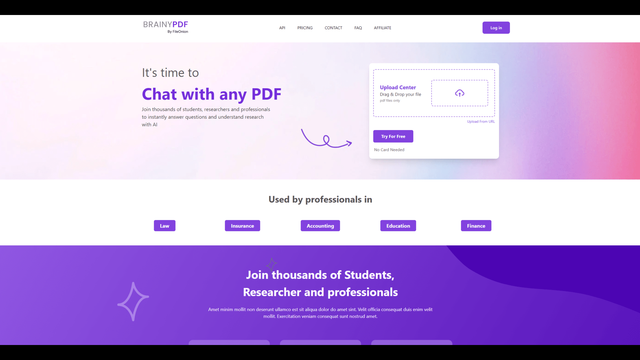
AI tool for interacting with PDF documents — ask questions, get summaries, and extract key information instantly.
 Misora AI
Verified
Knowledge
Misora AI
Verified
Knowledge
AI search engine that provides direct answers instead of just links, with source citations for verification.
 Workki AI
Verified
Knowledge
Workki AI
Verified
Knowledge
AI fact-checking tool — verify news, detect bias, and analyze source credibility with automated reliability reports
 OmniBox
Verified
Knowledge
OmniBox
Verified
Knowledge
AI knowledge hub — collect web content, parse files, and ask questions across all your saved information.
 Emdash
Verified
Knowledge
Emdash
Verified
Knowledge
AI-powered tool to organize, analyze, and connect your book highlights and notes in a personal knowledge base.
 Ask Brave
Verified
Knowledge
Ask Brave
Verified
Knowledge
Get AI-powered answers directly in your search results, with a focus on user privacy.
 Briefy
Verified
Knowledge
Briefy
Verified
Knowledge
AI-powered browser extension that summarizes webpages, videos, PDFs, and emails into structured overviews with one click.
Similar tools
 aiPDF
Verified
Research Tool
aiPDF
Verified
Research Tool
Chat with any PDF — upload documents, ask questions, and get AI-powered summaries with source references.
 AI ChatDocs
Verified
Research Tool
AI ChatDocs
Verified
Research Tool
Chat with your documents — upload PDFs, Word files, or websites and ask questions to get instant answers and summaries
 ChatDOC
Verified
Research Tool
ChatDOC
Verified
Research Tool
AI that chats with your documents — ask questions, get instant answers with cited sources from PDFs, DOCs, and more.
 TalkingPdf.io
Verified
Research Tool
TalkingPdf.io
Verified
Research Tool
AI tool that lets you chat with any PDF — ask questions and get instant answers from your documents.
 docAnalyzer
Verified
Assistant
docAnalyzer
Verified
Assistant
AI document analysis tool — upload PDFs, Word files, or text to get instant summaries, Q&A, and insights
 PDFChat
Documents
PDFChat
Documents
AI-powered PDF assistant — chat with your documents, analyze tables and figures, get instant answers
 Chat PDF AI
Verified
Knowledge Management
Chat PDF AI
Verified
Knowledge Management
AI-powered PDF assistant — chat with documents, get summaries, and translate content instantly
 SearchMyDocs.ai
Verified
Research Tool
SearchMyDocs.ai
Verified
Research Tool
AI-powered document search tool — upload PDFs, docs, and spreadsheets, then chat with them to get instant answers.