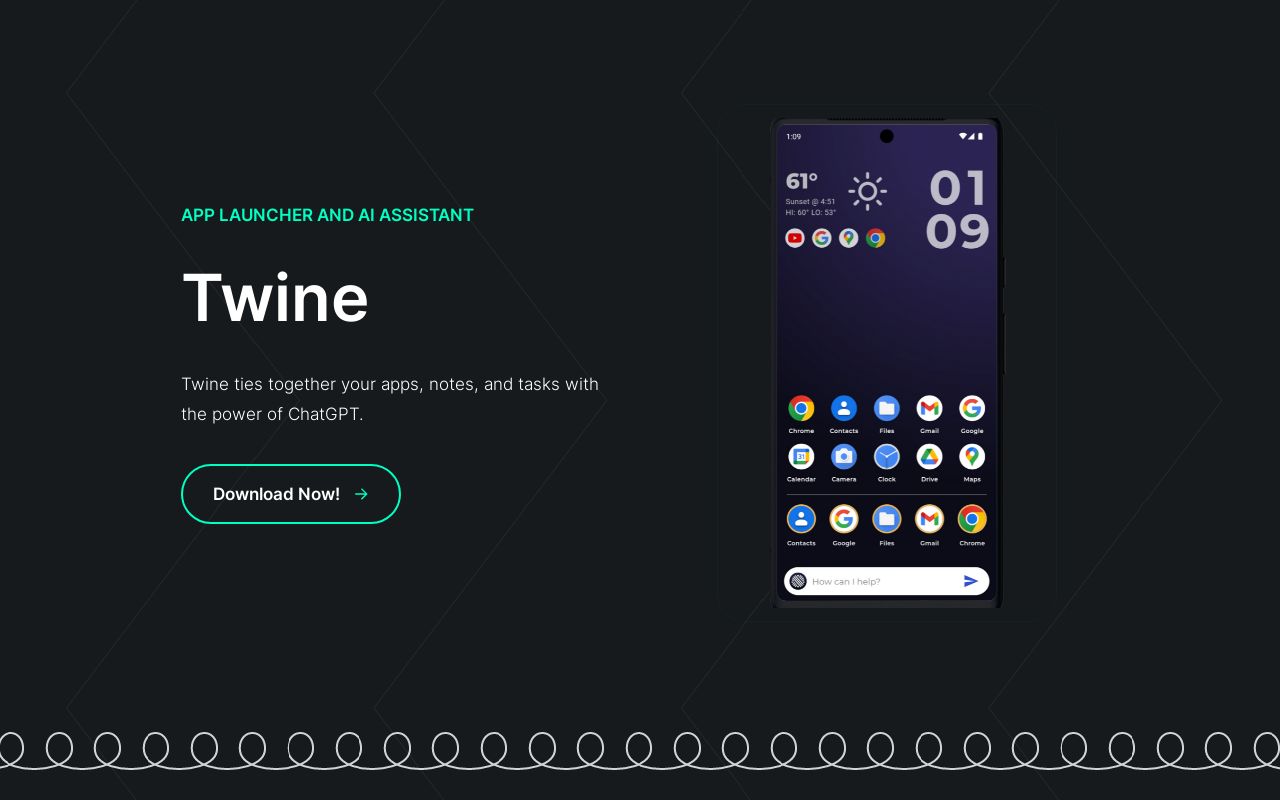
Twine
Android launcher with ChatGPT built in — ask questions, create notes, and manage tasks from your homescreen
| What is it | Android launcher with ChatGPT built in — ask questions, create notes, and manage tasks from your homescreen |
|---|---|
| Pricing | Unknown |
| Platform | Mobile App |
| Best for | Getting quick answers without opening separate apps, Creating notes and tasks through voice commands |
| Domain registered | 2023 |
Data updated Sept. 19, 2026
What does Twine do?
Twine is an Android launcher that puts ChatGPT right on your homescreen. Instead of fumbling with separate apps for notes, tasks, weather, or quick questions, you can just ask your phone. The app replaces your standard launcher and adds a persistent AI assistant that handles everyday requests without opening a browser or switching contexts. It's a simple idea: give your phone a direct line to an AI model, and let it handle the small stuff.
The assistant does three main things. First, it answers questions fast — think weather checks, timers, or general knowledge. Second, it creates notes, tasks, and reminders. You can say "remind me to call Sarah at 3pm" and it saves that to your phone's task list. Third, it remembers details about people. Tell Twine your friend's favorite coffee order, and later ask it to compose an email or text mentioning that coffee shop. It pulls from saved notes to draft messages automatically.
This tool is best for anyone who wants a faster, hands-free way to use their phone. If you rely on ChatGPT but wish it were more integrated with your daily workflow, Twine makes that happen. It's also handy for people who prefer voice input over typing. Since it's a launcher, it replaces your default homescreen experience — so you commit to using it as your main interface. Power users will appreciate the shortcuts, while casual users get a smarter way to manage basic tasks.
Key features
What makes it stand outWho is Twine for?
Who benefits most from this toolTrust & presence
Alternatives in Assistant
 Town
Verified
Assistant
Town
Verified
Assistant
AI assistant that learns your work style and handles tasks from your to-do list — drafts emails, proposals, and more
 Neutron
Verified
Assistant
Neutron
Verified
Assistant
Desktop AI assistant that turns your spoken thoughts into text and actions across all your apps.
 Muse AI
Verified
Assistant
Muse AI
Verified
Assistant
AI assistant that connects your work tools, remembers your preferences, and turns chat into finished deliverables
 ReadyRunner
Verified
Assistant
ReadyRunner
Verified
Assistant
Desktop AI assistant with hotkey access — chat with documents, collaborate on code, and get work done faster
 Triplo AI
Verified
Assistant
Triplo AI
Verified
Assistant
AI assistant for desktop and mobile — generate, enhance, and refine content across any app with voice, prompts, and knowledge bases.
 addto.me
Verified
Assistant
addto.me
Verified
Assistant
AI assistant for WhatsApp & Telegram — manage tasks, calendar, and notes directly from your chat apps.
 TellMe
Verified
Assistant
TellMe
Verified
Assistant
AI assistant for Apple devices — syncs across iPhone, iPad, Mac, and Vision Pro.
 Cursor Search
Verified
Assistant
Cursor Search
Verified
Assistant
Chrome extension that adds an AI-powered search bar to any webpage for instant answers and information retrieval.
Similar tools
 Twin
Verified
Automation
Twin
Verified
Automation
AI-powered automation worker — describe tasks in plain English and let it handle repetitive work across your apps.
 TXTGenie
Verified
Writing Assistants
TXTGenie
Verified
Writing Assistants
AI texting assistant — get personalized message suggestions, automate replies, and schedule texts across multiple platforms.
 TwinMind
Verified
Meeting Assistant
TwinMind
Verified
Meeting Assistant
AI notetaker and memory vault — automatically transcribes meetings, lectures, and conversations, then lets you ask questions about them.
 Hints
Verified
Automation
Hints
Verified
Automation
AI integration platform that connects your apps and automates workflows with natural language commands
 ChatGPT
Verified
Chat & Assistants
ChatGPT
Verified
Chat & Assistants
AI chatbot that answers questions, writes content, and assists with tasks through conversational text.
 Chattee
Verified
No-Code&Low-Code
Chattee
Verified
No-Code&Low-Code
AI web app builder — describe your idea in plain English and get a full-stack, deployable app in minutes.
 HingeGPT
Verified
Relationships
HingeGPT
Verified
Relationships
AI tool that generates Hinge opening lines — upload a profile screenshot or type a prompt, get a witty first message in seconds