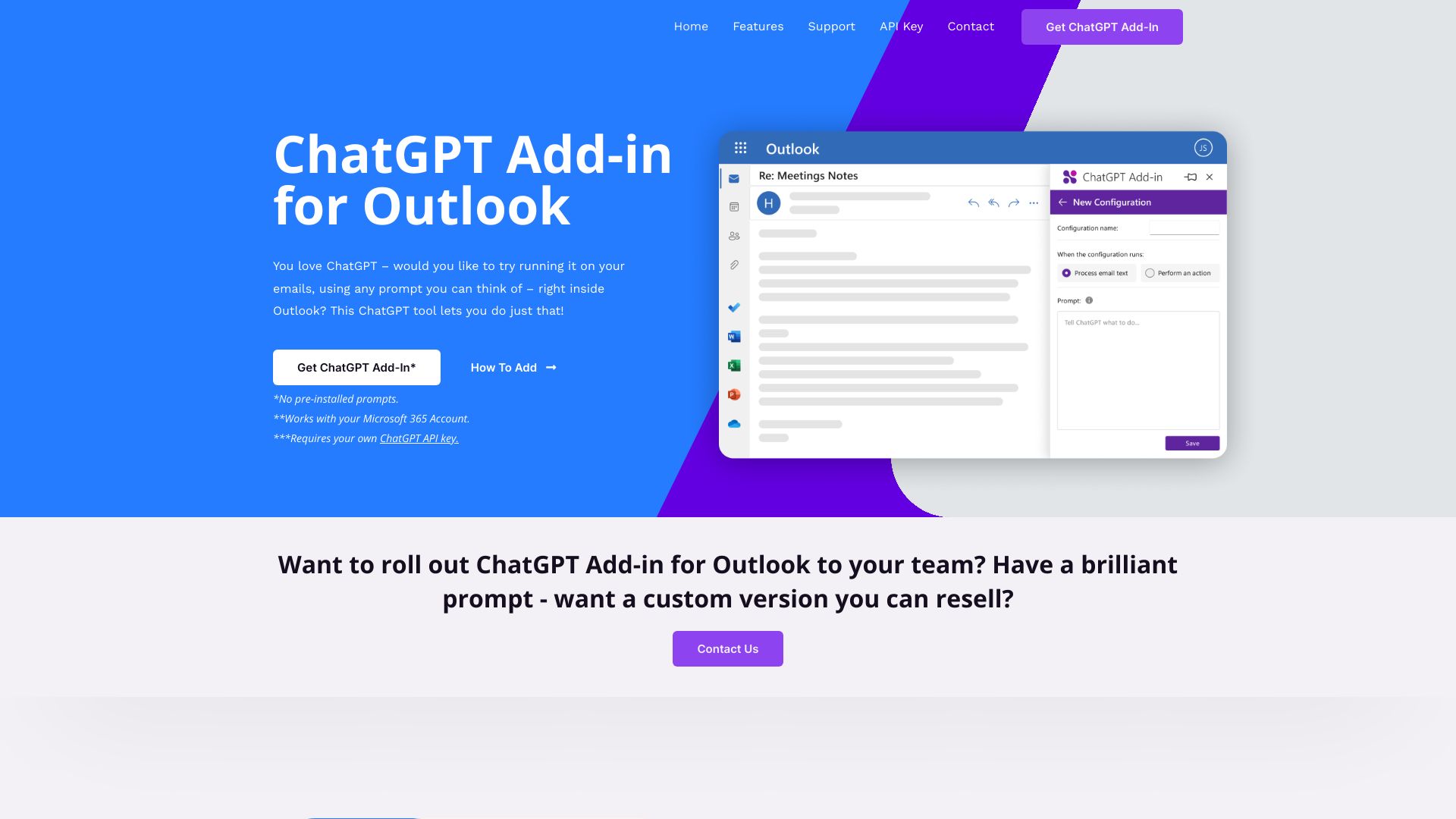
ChatGPT Add-in for Outlook
Integrate ChatGPT directly into Outlook to summarize, rewrite, and process emails using custom prompts.
| What is it | Integrate ChatGPT directly into Outlook to summarize, rewrite, and process emails using custom prompts. |
|---|---|
| Pricing | Paid |
| Platform | Desktop Application |
| API | Yes |
| Best for | Summarizing lengthy email threads, Rewriting or improving email drafts |
| Domain registered | 2023 |
Data updated Sept. 19, 2026
What does ChatGPT Add-in for Outlook do?
The ChatGPT Add-in for Outlook brings the power of AI directly into your email workflow. This desktop integration allows you to run ChatGPT on any email in your Outlook inbox or while composing new messages. You can apply custom prompts to summarize lengthy threads, extract key information, rewrite content, or process specific parts of emails like subjects or attachments. The tool displays AI-generated responses in a separate window for easy comparison and lets you replace the original email body with the improved version.
What sets this add-in apart is its flexibility in handling different email scenarios. You can create and manage multiple prompt configurations tailored to various types of emails or business needs. The system can even automatically update email importance flags based on the AI's analysis, helping you prioritize your inbox more effectively. It requires your own ChatGPT API key and works with Microsoft 365 accounts, giving you full control over the AI processing while keeping your data secure within your existing email environment.
This tool is particularly valuable for business professionals and corporate teams who handle high volumes of email communication. Office workers can use it to quickly digest long email chains, customer service teams can generate consistent responses, and managers can extract action items from team updates. The developers also offer custom versions for organizations wanting to deploy standardized prompt templates across their entire team or even resell customized versions of the add-in.
Key features
What makes it stand outWho is ChatGPT Add-in for Outlook for?
Who benefits most from this toolTrust & presence
Alternatives in Productivity Tools
 OutlookDog
Verified
Productivity Tools
OutlookDog
Verified
Productivity Tools
An AI-powered Outlook add-in that guards against scams, summarizes emails, drafts replies, and auto-categorizes your inbox.
 Superpower ChatGPT
Verified
Productivity Tools
Superpower ChatGPT
Verified
Productivity Tools
Browser extension that adds folders, search, highlights, and workflow tools to ChatGPT.
 ChatGPT Easy Folders
Verified
Productivity Tools
ChatGPT Easy Folders
Verified
Productivity Tools
Browser extension that adds folders, search, and prompt management to ChatGPT and Claude.
 chatgpt2evernote.com
Verified
Productivity Tools
chatgpt2evernote.com
Verified
Productivity Tools
Chrome extension that saves your ChatGPT conversations directly to Evernote with one click
 Deckary
Verified
Productivity Tools
Deckary
Verified
Productivity Tools
AI PowerPoint add-in for consultants — generate slides, create charts, and enforce brand consistency directly in your presentation.
 MyNextBrowser
Verified
Productivity Tools
MyNextBrowser
Verified
Productivity Tools
Browser extension that adds AI tools to your browser — text enhancement, research, slides, and automated browsing tasks.
 Bondapp
Verified
Productivity Tools
Bondapp
Verified
Productivity Tools
AI chief of staff for founders — connects to your tools, learns your workflow, and prioritizes your most important tasks
 Mayday
Verified
Productivity Tools
Mayday
Verified
Productivity Tools
AI calendar and task manager for Mac, iOS, and iPad that automatically schedules meetings and to-dos.
Similar tools
 AI Perfect Assistant
Verified
Writing Assistants
AI Perfect Assistant
Verified
Writing Assistants
Add ChatGPT directly into Microsoft Office, Google Workspace, and other apps to write, edit, and create content without switching tabs.
 AI Mail Assistant
Verified
AI Email Assistant
AI Mail Assistant
Verified
AI Email Assistant
Gmail add-on that generates replies, translates emails, improves grammar, and summarizes messages using ChatGPT.
 iGPT
Verified
Knowledge Management
iGPT
Verified
Knowledge Management
API that turns messy email threads and attachments into structured, actionable data for AI agents and workflows.
 Flot AI
Verified
Writing Assistants
Flot AI
Verified
Writing Assistants
With Flot AI, you can integrate ChatGPT into your daily workflow and pop up ChatGPT anywhere you type or highlight the text on any app or webpage. Write, improve, paraphrase, summarize, translate, explain, or reply to any text with one click.
 ghostwriter-ai.com
Verified
Writing Assistants
ghostwriter-ai.com
Verified
Writing Assistants
AI add-ins for Microsoft Office — write, edit, analyze, and create directly in Word, Excel, Outlook, and PowerPoint.