
OpenCat
Native Mac and iOS app for chatting with multiple AI models, featuring voice chat, image generation, and Siri integration.
| What is it | Native Mac and iOS app for chatting with multiple AI models, featuring voice chat, image generation, and Siri integration. |
|---|---|
| Pricing | Freemium — from $2.99/mo |
| Free tier | Yes |
| Platform | Mobile App |
| Best for | hands-free AI assistance via voice commands, quick image creation from text descriptions |
| Domain registered | 2023 |
Data updated Sept. 19, 2026
What does OpenCat do?
OpenCat is a dedicated chat application for Apple devices that provides a sleek interface for interacting with various AI models. It functions as a centralized hub for AI conversations, allowing users to switch between different AI 'cats' (models) for different tasks. The core experience is built around a clean, native chat interface that feels integrated into the macOS and iOS ecosystems, making AI assistance a seamless part of your digital workflow.
What sets OpenCat apart is its deep integration with Apple's operating systems. Beyond basic text chat, it offers voice-based conversations where you can speak to the AI and hear responses aloud. The app can generate images from text prompts and even lets you chat about images you provide. Perhaps most practically, its keyboard extension allows you to summon AI help within any application—be it your email, notes, or messaging apps—without switching contexts. Features like iCloud sync, Siri shortcuts, and markdown rendering further enhance the native feel.
This tool is ideal for anyone who regularly uses AI assistants and wants a more integrated, feature-rich experience on their Apple devices. Whether you're a student using it for research help across different apps, a professional drafting emails with AI assistance directly in Mail, or a creative person quickly generating images and ideas, OpenCat reduces friction by bringing AI capabilities directly into your existing workflow. The free tier offers substantial functionality, while the Pro version unlocks deeper system integrations for power users.
Key features
What makes it stand outWho is OpenCat for?
Who benefits most from this toolPricing
Free tier available — start without a credit cardOpenCat
- Prompt Library
- Markdown Rendering
- Multiple Models
- Various extra features
- Upgrade to Pro any time
OpenCat Pro
- Keyboard Extension
- iCloud Sync
- Siri Integration
- Text to Speech
- Join Team
- Additional Pro features
Cloud AI
- GPT Access - Fast, Multiple Models
- Voice Chat - Chat like a human
- Vision Chat - Talking about pictures
- Text to Image - Generate images using prompt
- Keyboard Input - Use AI in all Apps
- Integrations - Siri, Shortcuts
Trust & presence
Gallery
Click any image to enlargeAlternatives in Chat & Assistants
 LongCat
Verified
Chat & Assistants
LongCat
Verified
Chat & Assistants
All-in-one AI assistant for chat, image generation, video, and deep research
 freeaichat.app
Verified
Chat & Assistants
freeaichat.app
Verified
Chat & Assistants
Free AI chatbot and image generator app — unlimited chat, image creation, voice interactions, no sign-up or ads.
 Short Circuit
Verified
Chat & Assistants
Short Circuit
Verified
Chat & Assistants
Mobile ChatGPT client with Siri integration, custom personalities, and privacy-focused OpenAI API access
 Chatbot App
Verified
Chat & Assistants
Chatbot App
Verified
Chat & Assistants
AI chatbot that helps you write, analyze images, summarize text, and learn about topics using OpenAI models.
 AI Chat PowerBrain
Verified
Chat & Assistants
AI Chat PowerBrain
Verified
Chat & Assistants
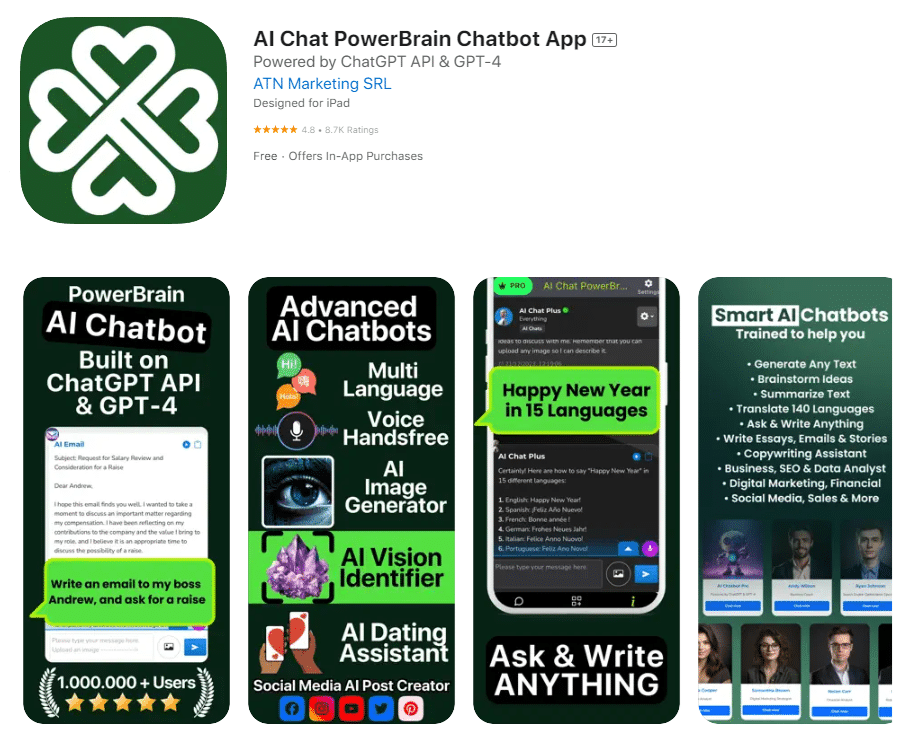
AI chatbot assistant for answering questions, generating content, and creating images across web and mobile apps
 WizAI
Verified
Chat & Assistants
WizAI
Verified
Chat & Assistants
AI chatbot powered by ChatGPT that works directly inside WhatsApp and Instagram for text, voice, and image-based conversations.
 PyGPT
Verified
Chat & Assistants
PyGPT
Verified
Chat & Assistants
Open-source desktop AI assistant — chat, analyze files, generate images/video, and automate tasks using multiple AI models.
 ChatTab
Verified
Chat & Assistants
ChatTab
Verified
Chat & Assistants
A native macOS desktop app for accessing ChatGPT, GPT-4, and Claude 2 with a multi-tab interface and local data storage.
Similar tools
 PopAir
Verified
Assistant
PopAir
Verified
Assistant
A native macOS app that gives you AI chat, image generation, and productivity tools inside any other application.
 WriteMage
Verified
Assistant
WriteMage
Verified
Assistant
Native macOS/iOS ChatGPT integration — use AI in any app with a floating window and custom keyboard.
 InstaApps
Verified
Models
InstaApps
Verified
Models
A native Mac and iOS app for chatting with multiple AI models, featuring custom assistants and voice conversations.
 MacGPT
Verified
Assistant
MacGPT
Verified
Assistant
Native macOS app that puts ChatGPT in your menu bar for quick access from anywhere on your Mac.
 MacGaiver
Verified
Assistant
MacGaiver
Verified
Assistant
AI assistant for Mac that answers questions about any open app using a keyboard shortcut.