
SketchEdge
AI-powered tool that extracts clean, hand-drawn style line art from your photos and images.
| What is it | AI-powered tool that extracts clean, hand-drawn style line art from your photos and images. |
|---|---|
| Pricing | Freemium |
| Free tier | Yes |
| Platform | Web Application |
| Best for | creating manga backgrounds from reference photos, generating design assets from photographs |
| Domain registered | 2023 |
Data updated Sept. 19, 2026
What does SketchEdge do?
SketchEdge is a specialized web tool that uses artificial intelligence to convert photographs into clean, natural-looking line art. Instead of producing the harsh, mechanical outlines typical of traditional edge detection algorithms, SketchEdge's AI captures contours with the soft, organic quality of hand-drawn sketches. This makes it particularly valuable for artists and designers who need to quickly create line art references from real-world images without sacrificing artistic appeal. The tool focuses specifically on transforming everyday photos into usable artistic assets.
What sets SketchEdge apart is its emphasis on creating lines that feel authentically hand-drawn rather than computer-generated. While many photo-to-sketch tools produce rigid, artificial-looking results, SketchEdge's AI is trained to mimic the subtle variations and imperfections that characterize human drawing. This results in sketches that maintain accuracy to the original image while possessing the warmth and character of traditional art. The technology appears optimized for capturing both broad contours and fine details in a balanced way.
This tool will be most beneficial for graphic designers needing quick concept sketches, manga artists creating background art from reference photos, and anyone requiring clean line art for design projects or documentation. The ability to generate natural-looking sketches from photographs makes it ideal for turning real-world references into artistic assets without the time-consuming process of manual tracing. Whether you're working on comic backgrounds, design mockups, or reference materials, SketchEdge provides a quick way to bridge the gap between photography and illustration.
Key features
What makes it stand outWho is SketchEdge for?
Who benefits most from this toolTrust & presence
Alternatives in Style Transfer
 SketchToImage
Verified
Style Transfer
SketchToImage
Verified
Style Transfer
AI tool that transforms hand-drawn sketches into digital art in various styles with a single click.
 Sketch To
Verified
Style Transfer
Sketch To
Verified
Style Transfer
AI image to sketch converter — upload photos, choose artistic styles, get instant pencil, charcoal, or ink sketches
 SketchAI
Verified
Style Transfer
SketchAI
Verified
Style Transfer
Mobile app that transforms your hand-drawn sketches into AI-generated stock photos and digital artwork.
 Pencil Art AI
Verified
Style Transfer
Pencil Art AI
Verified
Style Transfer
AI photo-to-pencil-sketch tool — upload a photo, choose a style, get a printable pencil drawing in seconds.
 Formind
Verified
Style Transfer
Formind
Verified
Style Transfer
AI photo to line drawing converter — upload a photo, pick a style, get clean line art or sketch in seconds
 Style Art AI
Verified
Style Transfer
Style Art AI
Verified
Style Transfer
Transform photos into anime, cartoon, and 30+ artistic styles instantly using AI-powered style transfer
 Whisk AI
Verified
Style Transfer
Whisk AI
Verified
Style Transfer
AI image remix tool — upload subject, scene, and style photos to generate unique artwork in seconds.
 Dream House
Verified
Style Transfer
Dream House
Verified
Style Transfer
AI home redesign tool — upload a photo of your house and see it transformed in different architectural styles.
Similar tools
 SketchImage.AI
Verified
Image Generator
SketchImage.AI
Verified
Image Generator
AI image generator — turn your hand-drawn sketches into detailed digital artwork in under 30 seconds
 Line Art Generator
Verified
Image Generator
Line Art Generator
Verified
Image Generator
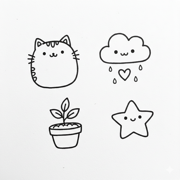
AI tool that converts photos into line art sketches or generates line art from text descriptions.
 AI Line Art
Verified
Tattoo Generator
AI Line Art
Verified
Tattoo Generator
AI-powered line art generator — upload any photo and get clean, printable line drawings in seconds
 Sketch Logo AI
Verified
AI Logo Generator
Sketch Logo AI
Verified
AI Logo Generator
AI logo generator — upload a sketch, image, or existing logo and get a redesigned or 3D version in seconds.
 PenKetch
Verified
Image Generator
PenKetch
Verified
Image Generator
AI-powered tool that turns text descriptions into high-quality pencil sketch drawings in various artistic styles.