
SoWork
SoWork transforms your remote team’s daily grind into something joyful. 🏠 Your always-on virtual HQ. 📺 Spatial video calls make meetings smoother and hallway chats spontaneous. 💬 Fully-featured Slack-replacement chat, built in. ✨ AI tools: Meeting summaries, recordings, and transcripts. 📊 Team Analytics: See your team's work habits. 🛠️ Fully customizable workplaces. 🐶 Pets and games! No more bouncing between Slack, Zoom, and calendars. Work together like in a real office, but better.
| What is it | SoWork transforms your remote team’s daily grind into something joyful. 🏠 Your always-on virtual HQ. 📺 Spatial video calls make meetings smoother and hallway chats spontaneous. 💬 Fully-featured Slack-replacement chat, built in. ✨ AI tools: Meeting summaries, recordings, and transcripts. 📊 Team Analytics: See your team's work habits. 🛠️ Fully customizable workplaces. 🐶 Pets and games! No more bouncing between Slack, Zoom, and calendars. Work together like in a real office, but better. |
|---|---|
| Pricing | Paid — from $6/mo |
| Free tier | Yes |
| Platform | Web Application |
| Best for | spontaneous team collaboration, reducing meeting scheduling overhead |
| Domain registered | 2004 |
Data updated Sept. 19, 2026
What does SoWork do?
SoWork is a virtual office platform designed to replicate the spontaneous interactions of a physical workspace for remote teams. Instead of scheduling meetings through calendar links, you and your team each have an avatar in a shared digital office. You can see who's at their desk, who's in deep focus, and who's free for a chat. When you need to collaborate, you simply 'walk' your avatar over to a colleague and start an instant audio or video call with one click—no invites or waiting required. It brings back the watercooler moments and quick desk-side conversations that remote work often lacks.
The platform stands out with its focus on reducing meeting friction and its clever 'presence' indicators. Key features include multiple office 'modes'—like a minimalist Simple Mode for focused work and a more immersive World Mode. It syncs with your calendar to automatically update your status when you're in meetings, and it includes AI-powered features that transcribe, summarize, and save meeting notes. You can also customize your virtual office layout and avatars, much like building in The Sims, to reflect your company's unique culture.
This tool is a fantastic fit for fully remote or hybrid teams that miss the organic collaboration of an office. It's particularly valuable for managers trying to reduce meeting overhead and for teams that rely on quick, ad-hoc discussions to move projects forward. Use cases include replacing scheduled daily stand-ups with spontaneous check-ins, creating virtual 'rooms' for different departments, and fostering a stronger sense of team connection without the constant scheduling fatigue of traditional video conferencing apps.
Key features
What makes it stand outWho is SoWork for?
Who benefits most from this toolPricing
Free tier available — start without a credit cardFree Plan
- 10 max users
- 30 meeting length minutes
- Unlimited number of meetings
- Audio only meetings
- Limited office furniture
- Limited support
Basic Plan
Everything in Free Plan, plus:
- Unlimited meeting length
- Unlimited video meetings
- Unlimited chat history
- Deluxe office furniture
Premium Plan
Everything in Basic Plan, plus:
- Priority live support
- Meeting recordings
- Chat voice messages
- AI meeting summaries / action items
- Detailed team analytics
- Noise cancellation
- Zapier integration
- Onboarding support
- Dual screensharing / screen annotation
Enterprise
Everything in Premium Plan, plus:
- 100 min users
- SSO
- SCIM for automated provisioning
- Custom pricing
- Assisted rollout
- 99.99% uptime
- Custom offices, avatars, clothing, and pets
Trust & presence
Gallery
Click any image to enlargeSimilar tools
 Coworker
Verified
Virtual employees
Coworker
Verified
Virtual employees
Enterprise AI agents that connect to your tools, learn workflows, and execute tasks end-to-end.
 SpatialChat
Verified
Meeting Assistant
SpatialChat
Verified
Meeting Assistant
AI-powered virtual event platform with spatial audio — move freely, join conversations naturally, and boost engagement.
 Soloop
Verified
Virtual employees
Soloop
Verified
Virtual employees
AI-powered business management platform that acts as your virtual CEO, CTO, CMO, and analyst to run your company solo.
 OpenWorker
Verified
Virtual employees
OpenWorker
Verified
Virtual employees
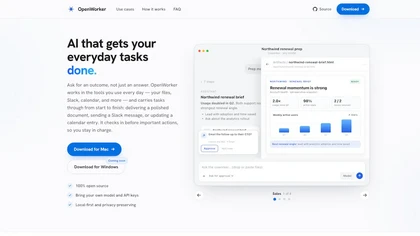
Desktop AI agent that connects to your tools — ask for an outcome, it handles the steps and checks in before acting.
 Soon Pulse
Verified
Employee Management
Soon Pulse
Verified
Employee Management
AI-powered workforce management platform for scheduling shifts, forecasting demand, and tracking team health in real-time.
 Supernormal
Verified
Meeting Assistant
Supernormal
Verified
Meeting Assistant
AI-powered meeting assistant that automatically transcribes, summarizes, and identifies action items from your calls.
 readywhen
Verified
Meeting Assistant
readywhen
Verified
Meeting Assistant
AI assistant that tracks your commitments across tools and drafts the follow-up work for you to approve.
 Shadowlabs.ai
Verified
Meeting Assistant
Shadowlabs.ai
Verified
Meeting Assistant
AI meeting assistant that detects action items and completes tasks like scheduling and document creation during the call.