Shader Gradient
Create animated gradient backgrounds for websites — works in Framer, Figma, and React
| What is it | Create animated gradient backgrounds for websites — works in Framer, Figma, and React |
|---|---|
| Pricing | Freemium — from $2/mo |
| Free tier | Yes |
| Platform | Web Application |
| API | Yes |
| Best for | creating animated gradient backgrounds for websites, designing website hero sections with motion |
| Domain registered | 2022 |
Data updated Sept. 19, 2026
What does Shader Gradient do?
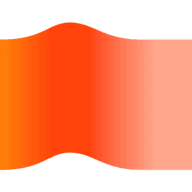
Shader Gradient is a tool for creating moving, animated gradient backgrounds. It’s available as a Framer plugin, a Figma plugin, and a React component, so you can use it in the design tool you already work with. The gradients are not static — they shift, flow, and react in real time, giving websites a lively, custom look.
The tool gives you a lot of control. You can adjust the shape of the gradient, pick colors (including hex codes), and tweak noise strength, noise density, spiral, speed, grain, lighting, position, and rotation. There’s also an animation parameter to set how the gradient moves. Everything updates live as you change sliders. For Framer users, you can drop in the plugin and start styling immediately. Figma users get a similar drag-and-drop experience. Developers can import the npm package and control the gradient via props.
Shader Gradient is best for web designers and developers who want to add subtle or dramatic motion to backgrounds without writing shaders from scratch. It works especially well for hero sections, landing pages, and any area where you want a background that feels alive. The tool is built by Ruucm and Seungmee, and it’s available for free through the Framer Marketplace, Figma Community, and GitHub.
Key features
What makes it stand outWho is Shader Gradient for?
Who benefits most from this toolPricing
Free tier available — start without a credit cardBasic
- Basic gradient controls
- Unlimited snapshot of beautiful gradient
Pro
- Unlock all the gradient controls
- Unlimited GIF / Video (.webm) export
- Looping gradient export
- Add moving gradients on Figma canvas
Trust & presence
Gallery
Click any image to enlargeAlternatives in Design Tool
 StitchCraft
Verified
Design Tool
StitchCraft
Verified
Design Tool
Turn any photo into a stitchable DMC floss chart in seconds.
 QRmaker
Verified
Design Tool
QRmaker
Verified
Design Tool
Generate dynamic QR codes that you can edit after printing, with options for AI art and animated designs.
 Biorender
Verified
Design Tool
Biorender
Verified
Design Tool
Create professional science figures, graphs, and slides for publications – no design skills needed.
Similar tools
 Trailblaze
Verified
Writing Assistants
Trailblaze
Verified
Writing Assistants
All-in-one AI platform for content creation, idea generation, and career tools — get started for free.
 Woven Insights
Verified
For Data Analytics
Woven Insights
Verified
For Data Analytics
AI-powered market and consumer insights for fashion retail businesses.
 Artology
Verified
Image & Art
Artology
Verified
Image & Art
AI-powered platform connecting artists, galleries, and collectors — sell art, manage collections, and discover new work.
 Edgi
Verified
Design Generator
Edgi
Verified
Design Generator
A digital product studio that builds AI and productivity tools for creative professionals.
 StructAI
Verified
Sales,Marketing
StructAI
Verified
Sales,Marketing
AI agent business OS that runs strategy, marketing, sales, and lead operations from one platform.
 ARMO
Verified
Monitor
ARMO
Verified
Monitor
Cloud security platform that detects runtime threats, manages vulnerabilities, and enforces compliance for Kubernetes and cloud environments.
 Music Demixer
Verified
AI Audio Editing
Music Demixer
Verified
AI Audio Editing
Upload a song — get separated stems, sheet music drafts, and DAW-ready MIDI from one online workflow
 Grainient
Verified
Design
Grainient
Verified
Design
Curated library of 1000+ high-resolution gradients and AI-generated backgrounds for designers.