
Steer
Native desktop assistant that fixes spelling and improves writing tone in any app with quick shortcuts.
| What is it | Native desktop assistant that fixes spelling and improves writing tone in any app with quick shortcuts. |
|---|---|
| Pricing | Freemium — from $3.6/mo |
| Free tier | Yes |
| Platform | Desktop Application |
| Best for | polishing business emails, improving professional messaging |
| Domain registered | 2024 |
Data updated Sept. 19, 2026
What does Steer do?
Steer is a desktop application that helps you write better emails and messages directly within any application you use. Instead of switching between windows or copying text to a separate tool, Steer lets you highlight text and use keyboard shortcuts to instantly improve your writing. It works in Slack, Microsoft Teams, Apple Mail, Microsoft Word, Google Chrome, and virtually any other application on your computer.
The tool uses GPT-4 through an open-source backend to analyze your text and provide improvements. What makes Steer different is its focus on staying out of your way—it doesn't require you to leave your current application or disrupt your workflow. The AI is specifically tuned for professional communication, helping make sentences more coherent, concise, and appropriate for business contexts. Your data remains private since Steer only processes text you explicitly select and doesn't store your writing.
Steer is particularly useful for professionals who write frequent emails and messages, especially non-native English speakers who want to sound more polished in business communications. Managers and executives can use it to quickly refine important messages without spending extra time on revisions. The tool has already helped users rewrite over 59,000 messages, saving significant time on daily writing tasks.
Key features
What makes it stand outWho is Steer for?
Who benefits most from this toolPricing
Free tier available — start without a credit cardStarter
- 10 requests per day
- 10 fast requests per day
- Improve your grammar & wording
- Adjust tone based on app
- Works anywhere
Pro
Everything in Starter, plus:
- Unlimited fast requests
Lifetime
Everything in Pro, plus:
- Lifetime updates
Trust & presence
Gallery
Click any image to enlargeAlternatives in AI Email Assistant
 MailFast, your AI email writer
Verified
AI Email Assistant
MailFast, your AI email writer
Verified
AI Email Assistant
AI-powered email assistant that generates professional emails from a brief prompt, adjusts tone, and checks grammar.
 smart-dictate.com
Verified
AI Email Assistant
smart-dictate.com
Verified
AI Email Assistant
A context-aware dictation tool for Chrome that transcribes your speech with high accuracy on any website.
 AImReply
Verified
AI Email Assistant
AImReply
Verified
AI Email Assistant
AI email assistant — generate, rephrase, and check emails instantly in your browser, no login required.
 Kerlig AI
Verified
AI Email Assistant
Kerlig AI
Verified
AI Email Assistant
Native macOS AI writing assistant — proofread emails, write Slack replies, chat with documents using 350+ AI models
 Goldfish
Verified
AI Email Assistant
Goldfish
Verified
AI Email Assistant
AI memory for Mac — one click to reply to messages in your tone with full context
 BestInterest for Coparents
Verified
AI Email Assistant
BestInterest for Coparents
Verified
AI Email Assistant
AI-powered co-parenting app that filters hostile messages, coaches replies, and keeps communication child-focused.
 angryemailtranslator.com
Verified
AI Email Assistant
angryemailtranslator.com
Verified
AI Email Assistant
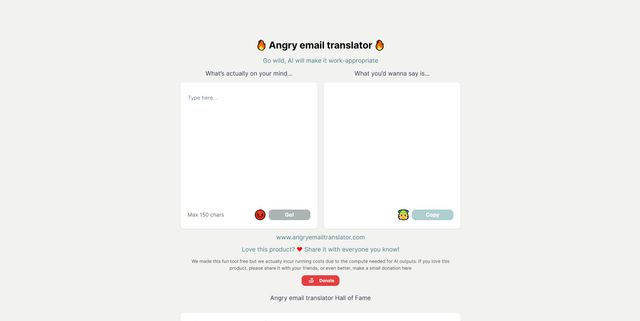
AI tool that instantly transforms angry, frustrated emails into professional, polite versions.
 Email Whisperer
Verified
AI Email Assistant
Email Whisperer
Verified
AI Email Assistant
Chrome extension that uses AI to write, rephrase, and check emails directly in Gmail and Outlook.
Similar tools
 Stet
Verified
Audio & Voice
Stet
Verified
Audio & Voice
Mac app that lets you speak text into any app, with optional AI to clean up filler words.
 VoiceAppear
Verified
Writing Assistants
VoiceAppear
Verified
Writing Assistants
Speech-to-text software for Windows and Mac — dictate emails and documents three times faster than typing.
 InstaText
Verified
Writing Assistants
InstaText
Verified
Writing Assistants
AI writing assistant that improves clarity, flow, and word choice to make your text sound native-level
 Pismo
Verified
Writing Assistants
Pismo
Verified
Writing Assistants
AI writing assistant for Mac/PC — improves text, translates, and adjusts tone directly in any app with hotkeys
 Writer Assistant
Verified
Writing Assistants
Writer Assistant
Verified
Writing Assistants
AI writing tool that fixes grammar, paraphrases, translates, and improves text style and clarity
 The Best Writing & Productivity AI Assistant for macOS
Verified
Rewriter
The Best Writing & Productivity AI Assistant for macOS
Verified
Rewriter
AI writing assistant for macOS — fix grammar, translate, and rewrite text in any app with a keyboard shortcut.
 Stepper
Verified
Automation
Stepper
Verified
Automation
Free AI workflow automation — describe your process and Stepper builds it, no coding required
 Typeless
Verified
Writing Assistants
Typeless
Verified
Writing Assistants
AI voice dictation tool that turns natural speech into polished text — removes filler words, auto-formats, and adapts tone across applications.