
VideoRecall
Browser extension that adds undo/redo (Ctrl+Z/Ctrl+Y) functionality to any online video player.
| What is it | Browser extension that adds undo/redo (Ctrl+Z/Ctrl+Y) functionality to any online video player. |
|---|---|
| Pricing | Unknown |
| Platform | Chrome Extension |
| Best for | Precisely reviewing specific moments in tutorial videos, Correcting accidental video seeks during playback |
| Domain registered | 2020 |
Data updated March 8, 2026
What does VideoRecall do?
VideoRecall is a browser extension that brings familiar keyboard shortcuts to online video playback. It adds undo (Ctrl+Z) and redo (Ctrl+Y) functionality to video players on any website, allowing users to easily navigate back and forth through their viewing history. This eliminates the frustration of losing your place in a video when you accidentally skip ahead or want to revisit a previous moment.
The extension works by tracking your navigation history within video players and mapping the standard undo/redo keyboard commands to these movements. It's available for both Chrome and Firefox browsers and is completely open-source under the Apache 2.0 license, meaning developers can inspect, modify, and contribute to the code. The setup is straightforward—just install the extension and it automatically works with video content across the web.
VideoRecall is particularly useful for students reviewing educational content, video editors checking their work, or anyone who frequently works with online video tutorials. It solves the common problem of losing your exact position in a video and provides a more controlled, precise viewing experience without complex video player interfaces.
Key features
What makes it stand outWho is VideoRecall for?
Who benefits most from this toolTrust & presence
Similar tools
 Active Recall
Verified
YouTube Summaries
Active Recall
Verified
YouTube Summaries
Traditional knowledge management is passive—information is stored but rarely revisited. Recall shifts this paradigm by transforming saved knowledge into active insights. Summarize content, chat with it, store it in a self-organizing knowledge base, and reinforce learning with spaced repetition. The foundation of Recall is its knowledge graph, which automatically links related concepts—uncovering hidden connections you might have otherwise missed.
 Recall
Knowledge Management
Recall
Knowledge Management
AI-powered knowledge base — save, summarize, and chat with all your online content and personal notes in one organized place.
 Video Repair by Onerecovery
Verified
Video Editor
Video Repair by Onerecovery
Verified
Video Editor
Desktop app that uses AI to repair corrupted or damaged video files (MP4, MOV, MKV) from any device
 BookRecall
Verified
Reading
BookRecall
Verified
Reading
Capture book highlights and get them back with questions to remember and apply what you read.
Open-source framework for programmatic video editing — build automated video workflows and editors with code
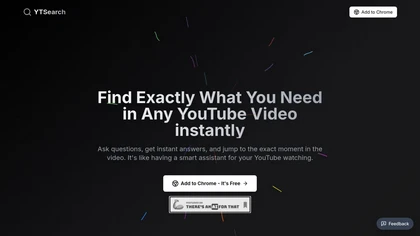 YTSearch
Verified
Video Search
YTSearch
Verified
Video Search
Chrome extension that lets you ask questions about a YouTube video and jump to the exact timestamp of the answer.
 VideoToScript
Verified
Transcription
VideoToScript
Verified
Transcription
Paste a TikTok, Reels, or Shorts link and get a timestamped transcript in seconds — no login required
 SummarizeYT
Verified
AI Summarizer
SummarizeYT
Verified
AI Summarizer
AI Chrome extension that summarizes YouTube videos instantly while you browse