
FrameTrace
Upload a video clip or paste a URL to find its original source across platforms in seconds.
| What is it | Upload a video clip or paste a URL to find its original source across platforms in seconds. |
|---|---|
| Pricing | Freemium — from $7/mo |
| Free tier | Yes |
| Platform | Web Application |
| API | Yes |
| Best for | verifying breaking news footage, tracking unauthorized video reposts |
| Domain registered | 2026 |
Data updated Sept. 19, 2026
What does FrameTrace do?
FrameTrace is a reverse video search tool that lets you trace any video back to its original source. You can upload a video file (up to 100MB) or paste a direct URL from platforms like YouTube, TikTok, Instagram, or Reddit. The tool analyzes visual patterns, motion sequences, and metadata frame by frame, then matches against billions of indexed clips to find the source — even if the video has been re-edited, re-encoded, or reposted elsewhere. It's like a reverse image search, but for video clips.
The tool offers two modes: QuickSearch and DeepSearch. QuickSearch analyzes only the first second of the video and gives you one free search per day — good for quick checks and exact matches. DeepSearch scans every frame of the full video, catching heavily edited versions, slow-fade edits, cropped clips, and partial reposts that a quick scan would miss. Paid plans unlock unlimited QuickSearch, monthly DeepSearch credits, and priority processing. FrameTrace also supports duplicate video detection across major platforms, so you can track unauthorized reposts or verify the authenticity of a viral clip. The whole process runs in your browser with no software install, and uploaded videos are deleted after analysis.
FrameTrace is built for journalists verifying breaking news footage, content creators protecting their work from unauthorized use, researchers tracking the spread of misinformation, or anyone who comes across a video online and wants to know where it really came from. If you've ever stumbled on a clip and wondered 'Is this real? Who made it?', this tool gives you answers in seconds rather than hours of manual searching.
Key features
What makes it stand outWho is FrameTrace for?
Who benefits most from this toolPricing
Free tier available — start without a credit cardQuickSearch Limited
- QuickSearch scans only the first second
- 1 QuickSearch per day
- Top matches only
- No DeepSearch full-video scan
DeepSearch Basic
- Unlocks DeepSearch
- 15 minutes DeepSearch time/month (900 credits)
- Unlimited QuickSearch
- All results included
- Removes ads
- Discounted additional minutes
- Priority processing
- Better match coverage for edited clips
- Time refreshes monthly
DeepSearch Pro
- Unlocks DeepSearch
- 1 hour DeepSearch time/month (3,600 credits)
- Unlimited QuickSearch
- All results included
- Removes ads
- Discounted additional minutes
- Priority processing
- Better match coverage for edited clips
- Time refreshes monthly
Trust & presence
Gallery
Click any image to enlargeAlternatives in Video Search
 EdgeTrace
Verified
Video Search
EdgeTrace
Verified
Video Search
AI video management system — search security camera footage by describing people, vehicles, or events in plain language.
 ViralScribe
Verified
Video Search
ViralScribe
Verified
Video Search
Paste a short-form video link and get a full transcript with a virality breakdown in seconds.
 QuickSight
Verified
Video Search
QuickSight
Verified
Video Search
AI video intelligence platform — upload videos, search them with natural language, and find exact moments instantly.
 YTSearch
Verified
Video Search
YTSearch
Verified
Video Search
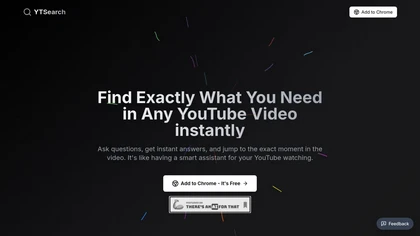
Chrome extension that lets you ask questions about a YouTube video and jump to the exact timestamp of the answer.
 Jumper
Verified
Video Search
Jumper
Verified
Video Search
AI-powered search engine for your video footage — find shots, scenes, and spoken words instantly within your editing software.
 Skiv
Verified
Video Search
Skiv
Verified
Video Search
AI-powered video hosting platform with searchable transcripts, smart chapters, and monetization tools for creators and businesses.
 Video Insight Pro
Verified
Video Search
Video Insight Pro
Verified
Video Search
AI video analytics tool — upload footage, ask questions in plain language, and get instant insights and reports.
 Cloudglue
Verified
Video Search
Cloudglue
Verified
Video Search
API for developers to structure, search, and reason over video content for AI applications
Similar tools
 framedrop.ai
Verified
Video Editor
framedrop.ai
Verified
Video Editor
AI tool that automatically finds and extracts highlight clips from your long videos for social media repurposing
 ClipFinder
Verified
Video Editor
ClipFinder
Verified
Video Editor
AI video clip finder — upload long videos, get viral-ready shorts with captions and auto-reframing
 EasySlice.AI
Verified
Video Editor
EasySlice.AI
Verified
Video Editor
Automatically clips YouTube videos and posts highlight reels to TikTok, Instagram, and Shorts
 Deepfake Detector
Verified
Content Detector
Deepfake Detector
Verified
Content Detector
Upload an audio, video, or image and get a verdict on whether it's real or AI-generated — with confidence scores and detailed signals.
 Contentfries
Verified
Video Editor
Contentfries
Verified
Video Editor
AI-powered tool that turns long videos into viral short clips with automated subtitles, repurposing, and content ideas.
 Frameway
Verified
Video Editor
Frameway
Verified
Video Editor
AI video editor — upload footage, describe your video, get a first draft in minutes without touching a timeline