
OpenYak
Desktop AI agent that works with your local files — reads folders, runs tools, and returns finished documents and reports.
| What is it | Desktop AI agent that works with your local files — reads folders, runs tools, and returns finished documents and reports. |
|---|---|
| Pricing | Freemium |
| Free tier | Yes |
| Platform | Desktop Application |
| Best for | Automating office file organization and document processing, Analyzing local data files without cloud uploads |
| Domain registered | 2026 |
Data updated Sept. 19, 2026
What does OpenYak do?
OpenYak is a desktop AI agent that works directly with your local files and folders. Unlike web-based chatbots, it operates as a proper desktop application that can read your workspace, execute tools, and return finished work products like PDF reports, tables, and documents. It keeps all processing local by default, meaning your files never need to be uploaded to the cloud unless you choose to use cloud-based AI models.
The tool works by letting you point it at any local folder, then describe what you want to accomplish. It plans and executes a series of tool calls - including file editing, shell tasks, parsing, and browsing - while showing progress in real time. You can choose from over 100 AI model providers including OpenAI, Anthropic, Google, local Ollama models, or bring your own keys. The system includes 46 pre-configured connectors for popular tools and maintains workspace memory as Markdown documents to keep context across sessions.
OpenYak is particularly useful for office workers, small teams, and data analysts who need to automate repetitive file processing tasks while maintaining data privacy. Real-world use cases include automating invoice processing and approval packets, analyzing local CSV and Excel files without cloud uploads, merging notes from various document formats into structured briefs, and organizing files across folders with auditable logs. The local-first approach makes it suitable for teams that prioritize data control and traceability.
Key features
What makes it stand outWho is OpenYak for?
Who benefits most from this toolPricing
Free tier available — start without a credit cardFree
- Run local models free via Ollama
- 1M tokens/week on free cloud models
- All 20+ tools included
- Plan, ask-first, and auto-edit action modes
- Unlimited conversations
- Local storage only
Pay As You Go
Everything in Free, plus:
- Everything in Free
- Premium models (Claude, GPT, Gemini, etc.)
- OpenRouter pricing, zero markup
- No subscription, no expiry
- Top up anytime
BYOK
Everything in Free, plus:
- Everything in Free
- 20+ providers: OpenAI, Anthropic, Google, DeepSeek, xAI, Groq, and more
- Or use your ChatGPT Plus/Pro subscription directly
- Direct pricing, zero markup
- No OpenYak account needed
Trust & presence
Gallery
Click any image to enlargeAlternatives in Productivity Tools
 Open Interpreter
Verified
Productivity Tools
Open Interpreter
Verified
Productivity Tools
AI desktop agent — edit Word, Excel, and PDF files using natural language commands
 GhostDesk
Verified
Productivity Tools
GhostDesk
Verified
Productivity Tools
AI overlay for Windows that stays private during screen shares — take notes and get AI help without switching tabs.
 AI Excel Bot
Verified
Productivity Tools
AI Excel Bot
Verified
Productivity Tools
Generate Excel & Google Sheets formulas using simple text instructions — plus VBA code and formula explanations.
 vectal.ai
Verified
Productivity Tools
vectal.ai
Verified
Productivity Tools
AI productivity agent that syncs tasks, notes, projects & calendar into one automated workflow
 Flowshot
Verified
Productivity Tools
Flowshot
Verified
Productivity Tools
AI plugin for Google Sheets — autocomplete data, generate formulas, create images, and automate tasks directly in spreadsheets.
 Glue
Verified
Productivity Tools
Glue
Verified
Productivity Tools
AI-assisted team chat platform that turns conversations into actionable tasks and workflows
 Cognosys
Verified
Productivity Tools
Cognosys
Verified
Productivity Tools
AI agent that autonomously breaks down and completes complex tasks like research, email management, and reporting.
 ExcelBot
Verified
Productivity Tools
ExcelBot
Verified
Productivity Tools
AI Excel assistant — describe what you need in plain English and get formulas, VBA code, or data analysis instantly.
Similar tools
 OpenWorker
Verified
Virtual employees
OpenWorker
Verified
Virtual employees
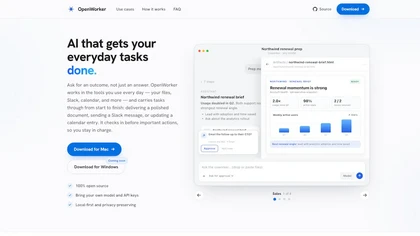
Desktop AI agent that connects to your tools — ask for an outcome, it handles the steps and checks in before acting.
 Openwork
Verified
Virtual employees
Openwork
Verified
Virtual employees
Desktop app for using 50+ LLMs with your own API keys, sharing setups with your team.
 OpenBox
Verified
Developer Tools
OpenBox
Verified
Developer Tools
Enterprise AI trust platform — runtime enforcement of identity, authorization, and policy across all AI agent interactions.
 electroneek.com
Verified
Automation
electroneek.com
Verified
Automation
AI-powered automation platform for business workflows — connects desktop and SaaS apps with no-code agents.
 AnythingLLM
Verified
AI Workspace
AnythingLLM
Verified
AI Workspace
Desktop AI workspace — chat with your documents, use AI agents, and run models locally with full privacy.
 ClawOffice
Verified
AI Workspace
ClawOffice
Verified
AI Workspace
A 3D virtual office where you can walk around and interact with your AI agents.
 Openclaw AI
Verified
Assistant
Openclaw AI
Verified
Assistant
Open-source AI assistant that automates tasks across 100+ apps like WhatsApp, email, and calendar management