
AgenticLens
Visualize and debug AI agent workflows from JSONL exports — flow, tree, timeline, and replay views in one workspace.
| What is it | Visualize and debug AI agent workflows from JSONL exports — flow, tree, timeline, and replay views in one workspace. |
|---|---|
| Pricing | Unknown |
| Platform | Web Application |
| Best for | Debugging Claude Agent SDK workflows, Analyzing agent reasoning patterns |
| Domain registered | 2026 |
Data updated April 28, 2026
What does AgenticLens do?
AgenticLens is a browser-based visualization tool that transforms JSONL exports from AI agent frameworks into interactive debugging workspaces. It takes the often-opaque log files generated by tools like the Claude Agent SDK and creates clear, navigable visual representations of agent workflows. You can upload your JSONL files directly in the browser and immediately see your agent's execution path through multiple synchronized views.
The tool stands out by offering four complementary perspectives on the same data: a flow canvas showing step connections, a hierarchical tree view for nested operations, a chronological timeline with performance metrics, and a replay mode for step-by-step execution. What makes AgenticLens particularly useful is its client-side processing—your sensitive agent data never leaves your browser, making it ideal for teams working with proprietary AI systems. It automatically identifies and flags performance bottlenecks with visual badges on slow or high-token steps.
This tool is most valuable for developers building AI agents who need to understand why their systems behave certain ways. It helps debug complex reasoning chains, optimize token usage and latency, and compare different agent runs. Whether you're troubleshooting a failed tool call or analyzing why an agent took a particular path, AgenticLens provides the visual context that raw JSONL files lack.
Key features
What makes it stand outWho is AgenticLens for?
Who benefits most from this toolTrust & presence
Alternatives in Developer Tools
 AgentOps
Verified
Developer Tools
AgentOps
Verified
Developer Tools
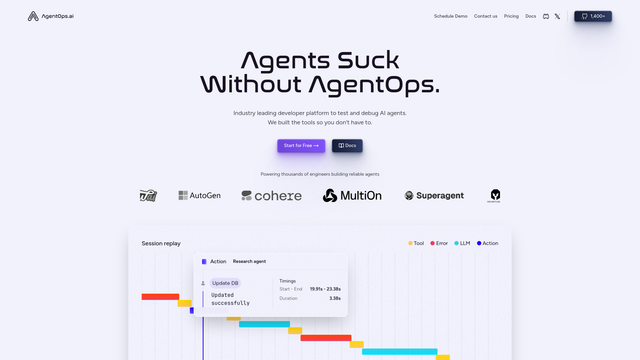
Monitoring and debugging platform for AI agents — track costs, visualize workflows, and replay sessions.
 AgentCenter for OpenClaw
Verified
Developer Tools
AgentCenter for OpenClaw
Verified
Developer Tools
Dashboard to assign tasks, monitor progress, and coordinate OpenClaw AI agents from one place
 Agentfield
Verified
Developer Tools
Agentfield
Verified
Developer Tools
Open-source backend platform for building, scaling, and governing multi-agent AI systems.
 Claude-devtools
Verified
Developer Tools
Claude-devtools
Verified
Developer Tools
Desktop app that shows the detailed logs from your Claude Code sessions — reveals hidden thinking, tool calls, and file changes.
 Iris.ai
Verified
Developer Tools
Iris.ai
Verified
Developer Tools
Enterprise platform for building, managing, and monitoring Agentic RAG AI workflows with your own data.
 Codentis
Verified
Developer Tools
Codentis
Verified
Developer Tools
AI-powered command-line assistant for developers — get code explanations, refactor code, and run workflows directly in your terminal.
 Agentation
Verified
Developer Tools
Agentation
Verified
Developer Tools
Visual feedback tool for AI coding agents — annotate UI elements and generate structured context for Claude Code, Cursor, and other AI tools
 AgentConnect
Verified
Developer Tools
AgentConnect
Verified
Developer Tools
Open-source platform to manage and coordinate multiple AI agents across Slack, Discord, and other tools
Similar tools
 Magentic AI
Verified
Bug Reports
Magentic AI
Verified
Bug Reports
AI-powered bug reporting tool — record browser bugs with full technical context for AI agents to debug autonomously.
 Agen
Verified
Development
Agen
Verified
Development
Autonomous AI agents that write code, fix pipelines, and deploy apps from a simple task description.
 Agently
Verified
Automation
Agently
Verified
Automation
AI company brain that connects your tools and runs agents to handle tasks automatically