
Saya
AI study assistant — upload PDFs, videos, or audio, get summaries and answers from your files.
| What is it | AI study assistant — upload PDFs, videos, or audio, get summaries and answers from your files. |
|---|---|
| Pricing | Freemium — from $19.99/mo |
| Free tier | Yes |
| Platform | Web Application |
| API | Yes |
| Best for | Summarizing lengthy textbooks or research papers, Extracting key points from lecture recordings or podcasts |
| Domain registered | 2024 |
Data updated Sept. 19, 2026
What does Saya do?
Saya is an AI-powered study assistant that helps you learn faster by processing your study materials. You upload PDFs, Word documents, YouTube video links, or audio files, and Saya generates concise summaries of the content. It goes beyond simple summarization by letting you chat with your documents—ask specific questions about the material, and get answers pulled directly from the uploaded files. This turns passive reading into an interactive learning session.
The tool works by using large language models like GPT-4 and Claude to analyze your content. You can organize different files into collections, creating a personal knowledge base. Saya also connects to external sources, offering a search function that scans millions of academic papers from arXiv, PubMed, and NIH, plus real-time news. This means you can ground your study sessions in both your uploaded materials and current information.
Students are the primary users who benefit from Saya, especially those dealing with dense textbooks, research papers, or recorded lectures. Researchers can use it to quickly digest academic literature. Anyone who needs to extract key information from long-form content—like professionals staying updated with industry reports—will find it useful. It's designed to save time on information processing so you can focus on understanding and application.
Key features
What makes it stand outWho is Saya for?
Who benefits most from this toolPricing
Free tier available — start without a credit cardFree trial
- GPT4 & Claude access
- International calling and messaging API
- File, photo, link upload
Pro
- Unlimited AI Question & Answering
- Unlimited AI Summaries & Notes
- GPT4 & Claude access
- International calling and messaging API
- File, photo, link upload
Trust & presence
Gallery
Click any image to enlargeAlternatives in YouTube Summaries
 Video Summary AI
YouTube Summaries
Video Summary AI
YouTube Summaries
Generate educational summaries from lengthy videos in your preferred language.
 DoryAI
Verified
YouTube Summaries
DoryAI
Verified
YouTube Summaries
AI-powered video learning assistant — get summaries, transcripts, and answers from any video.
 Swiftnotes.ai
Verified
YouTube Summaries
Swiftnotes.ai
Verified
YouTube Summaries
AI tool that watches YouTube videos for you and generates detailed notes and summaries.
 AI Takeaway
Verified
YouTube Summaries
AI Takeaway
Verified
YouTube Summaries
Turn YouTube videos into AI-powered summaries, interactive Q&A, and visual notes for faster learning.
 Vunote
Verified
YouTube Summaries
Vunote
Verified
YouTube Summaries
AI tool that turns YouTube videos and audio into timestamped notes, transcripts, mindmaps, and study materials.
 HoverNotes
Verified
YouTube Summaries
HoverNotes
Verified
YouTube Summaries
AI-powered Chrome extension that takes notes and screenshots for you while you watch educational videos on YouTube, Udemy, and more.
 Queso
Verified
YouTube Summaries
Queso
Verified
YouTube Summaries
Chrome extension that adds interactive quizzes, summaries, and note-taking to any webpage or YouTube video.
 AI-Powered Video Notes & Summaries
Verified
YouTube Summaries
AI-Powered Video Notes & Summaries
Verified
YouTube Summaries
AI-powered browser extension that summarizes YouTube videos, extracts key points, and creates study notes instantly
Similar tools
 HeyScience
Verified
Essay Writer
HeyScience
Verified
Essay Writer
AI study assistant for academic writing — get feedback on essays, reports, and theses.
 Summarify
Verified
AI Summarizer
Summarify
Verified
AI Summarizer
AI summarization tool — paste text, URLs, PDFs, or audio files to get concise summaries instantly
 Samurai
Verified
AI YouTube & Web Summarizer + Instant Translator | TL...
Samurai
Verified
AI YouTube & Web Summarizer + Instant Translator | TL...
AI summarizer for YouTube videos, articles, and podcasts — save hours by getting key insights in minutes
 Prosetta
Verified
Writing Assistants
Prosetta
Verified
Writing Assistants
AI knowledge workspace that writes, edits, and organizes your content with real-time collaboration and MCP integration.
 Summarist.ai
Verified
Knowledge
Summarist.ai
Verified
Knowledge
Free AI-powered book summaries — get key insights from millions of books in seconds.
 Summify
Verified
AI Summarizer
Summify
Verified
AI Summarizer
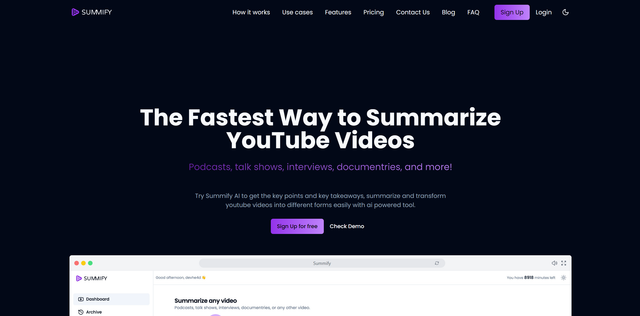
AI tool that transcribes videos/audio and generates summaries, key insights, and formatted content in seconds.
 Podcast AI
Verified
Podcast
Podcast AI
Verified
Podcast
Generate full podcast episodes from a single topic prompt, with AI hosts and realistic voices.
 Sumly.AI
Verified
AI Summarizer
Sumly.AI
Verified
AI Summarizer
AI podcast summaries — get personalized, actionable takeaways delivered to your inbox.