
GMSSH
Это SSH-клиент с AI, который переносит управление серверами в удобный визуальный интерфейс. Теперь мониторинг и автоматизация процессов происходят не в бесконечных строчках терминала, а в наглядном десктопном приложении.
| Что это | Это SSH-клиент с AI, который переносит управление серверами в удобный визуальный интерфейс. Теперь мониторинг и автоматизация процессов происходят не в бесконечных строчках терминала, а в наглядном десктопном приложении. |
|---|---|
| Цены | Freemium — от ¥888/mo |
| Бесплатный тариф | Да |
| Платформа | Desktop Application |
| API | Да |
| Хорошо подходит для | managing remote servers visually, automating deployment tasks |
| Домен зарегистрирован | 2017 |
Данные обновлены 3 октября 2026 г.
Что делает GMSSH?
GMSSH — это десктопное приложение, которое превращает доступ по защищенному оболочке (SSH) в визуальную операционную систему с поддержкой ИИ. Оно предлагает графический интерфейс для управления удаленными серверами, заменяя традиционные операции в командной строке перетаскиванием файлов, графиками мониторинга производительности в реальном времени и управлением сервисами и приложениями в один клик. Инструмент позволяет выполнять такие задачи, как передача файлов, управление Docker и операции с базами данных, через интерфейс «наведи и нажми», поэтому больше не нужно запоминать сложные команды SCP или tar.
В основе системы лежит ИИ-копилот по имени Gemius, который дает умные подсказки новичкам и автоматизирует рутинные задачи, например, пакетное развертывание и запланированные проверки. Для управления рабочими процессами автоматизации используется движок Model Context Protocol (MCP). Безопасность базируется на нативных каналах шифрования SSH с многофакторной аутентификацией и полным аудитом сессий, что обеспечивает соответствие стандартам без необходимости использовать дополнительные прокси или открывать порты.
GMSSH создан для ИТ-специалистов, которые управляют серверной инфраструктурой, но предпочитают визуальные инструменты интерфейсам командной строки. Системные администраторы могут использовать его для одновременного мониторинга нескольких серверов, а разработчики — для быстрого развертывания таких приложений, как WordPress или стеки LNMP. Команды DevOps могут использовать возможности автоматизации для инициализации сред и проведения плановых проверок обслуживания всей своей инфраструктуры.
Ключевые возможности
Что выделяет инструментДля кого GMSSH?
Кому подходит этот инструментЦены
Есть бесплатный тариф — можно начать без банковской картыUnauthorized Version
- Multi-server client
- SFTP File Manager
- Task Manager
- Recycle Bin
- Terminal
- Website Setup (LNMP Environment Supported)
- Docker Image Center
- Firewall Management
- Gemius (GMSSH AI)
- Server Browser
- GMSSH API (Open Interface)
- Points Exchange Gifts
- Official Activities Occasionally
- Updates & Support
Authorized Version
Все в Unauthorized Version, плюс:
- All Features of the Unactivated Version
- Batch Cmd Execution
- Proxy Manager
- Git Admin
- Machine Cloud Sync
- Data Backup&Sync
- Gemius Pro
- VPNAdmin (OpenVPN Management)
- Updates & Support (Priority Channel)
Доверие и присутствие
Галерея
Нажмите на изображение, чтобы увеличитьАльтернативы в категории Инструменты разработчика
 Vinkius MCP Infrastructure
Проверено
Инструменты разработчика
Vinkius MCP Infrastructure
Проверено
Инструменты разработчика
Безопасный middleware, который позволяет AI-агентам подключаться к более чем 100 бизнес-инструментам, не подвергая риску ваши API-ключи.
 DepsHub
Проверено
Инструменты разработчика
DepsHub
Проверено
Инструменты разработчика
Инструмент для управления зависимостями на базе AI. Автоматически обновляет, проверяет на уязвимости и отслеживает все зависимости в вашем проекте.
 MCP Manager
Проверено
Инструменты разработчика
MCP Manager
Проверено
Инструменты разработчика
Это своего рода «шлюз», который позволяет безопасно управлять доступом AI-агентов к вашим бизнес-данным и инструментам через MCP. С ним вы сможете полноценно мониторить и контролировать всё, что делают агенты, чтобы данные оставались в безопасности.
 Shell Sage
Проверено
Инструменты разработчика
Shell Sage
Проверено
Инструменты разработчика
Это AI-помощник для терминала: он простыми словами объяснит, что делает та или иная CLI-команда, подскажет, как исправить ошибку, и превратит ваш обычный запрос на естественном языке в готовый код.
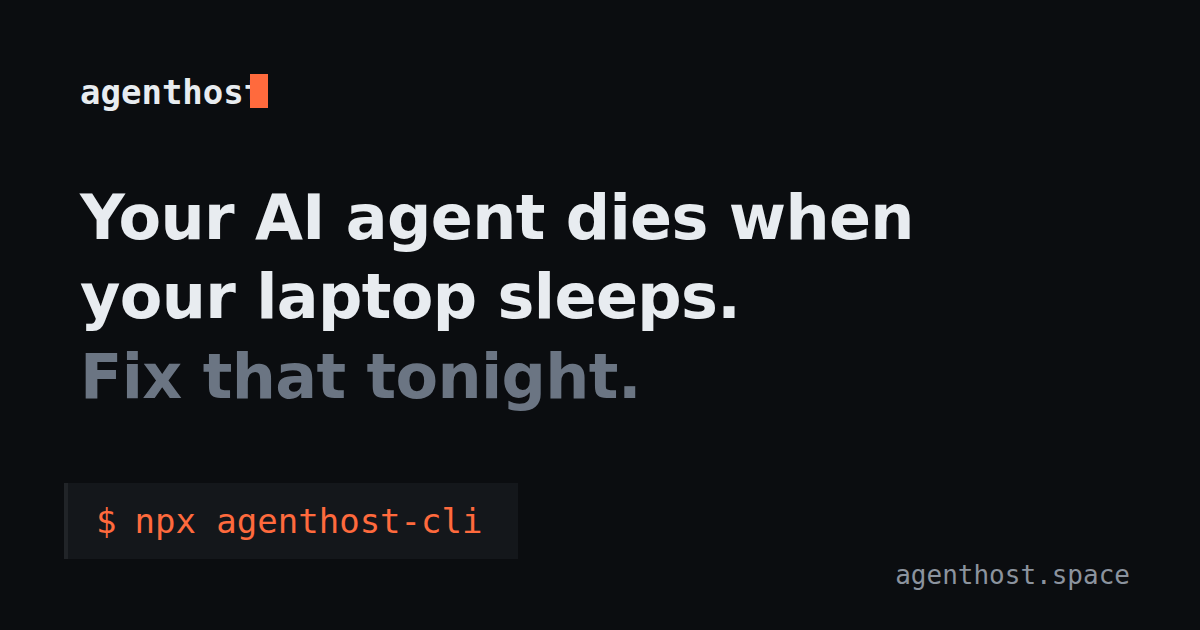 agenthost.space
Проверено
Инструменты разработчика
agenthost.space
Проверено
Инструменты разработчика
Запускайте сразу несколько AI-агентов на собственной облачной инфраструктуре. У них будет общая память, единая система управления и постоянные рабочие пространства, чтобы всё работало слаженно и ничего не терялось.
 How2
Проверено
Инструменты разработчика
How2
Проверено
Инструменты разработчика
AI-инструмент для командной строки — задавайте вопросы на обычном языке и получайте готовые команды для терминала.
 HiveTerm
Проверено
Инструменты разработчика
HiveTerm
Проверено
Инструменты разработчика
HiveTerm — это десктопный терминал, где ваши AI-агенты (будь то Claude Code, Codex, Gemini или Cline) живут в одном пространстве с серверами, билдами и скриптами. Всем этим процессом управляет один файл — hive.yml. Главная фишка здесь — Queen. Это встроенный MCP-сервер, который превращает агентов в настоящую команду: они могут создавать субагентов, считывать вывод из других процессов и переписываться друг с другом. Для удобства разработчиков добавили всё необходимое: мониторинг ресурсов для каждого процесса, интеграцию с Git с удобным diff-вьюером, автоматическое определение стека и рабочие пространства с разделенным контекстом.
 haveibeenexpired
Проверено
Инструменты разработчика
haveibeenexpired
Проверено
Инструменты разработчика
Следит за вашими SSL-сертификатами и заранее предупреждает, когда они начнут истекать. Уведомления прилетают туда, где вам удобно: в Slack, Discord или просто на почту.
Похожие инструменты
 Hush Privacy AI
Мониторинг
Hush Privacy AI
Мониторинг
AI-сервис для защиты приватности, который сканирует интернет на предмет утечек ваших личных данных и автоматически их удаляет.
 Harmonic Security
Проверено
Мониторинг
Harmonic Security
Проверено
Мониторинг
Платформа для управления ИИ, которая классифицирует каждую задачу, выясняет цель её использования и контролирует процесс в реальном времени.
 RemoteX
Проверено
Конструктор SQL-запросов
RemoteX
Проверено
Конструктор SQL-запросов
Общайтесь со своими серверами на одном языке: просто спросите, что пошло не так, получите все доказательства и подтвердите исправления прямо с телефона или компьютера.
 Concentric AI
Проверено
Для анализа данных
Concentric AI
Проверено
Для анализа данных
Это AI-платформа для защиты данных. Она сама находит конфиденциальную информацию, отслеживает риски и не дает данным «утечь» из облачных сервисов и GenAI приложений.
 OpenOwl
Проверено
Автоматизация
OpenOwl
Проверено
Автоматизация
Это инструмент для автоматизации вашего компьютера на базе AI. Он подключается к вашему AI-ассистенту и буквально берет управление на себя: сам нажимает на кнопки, переключается между приложениями и выполняет рутинные задачи прямо в системе.